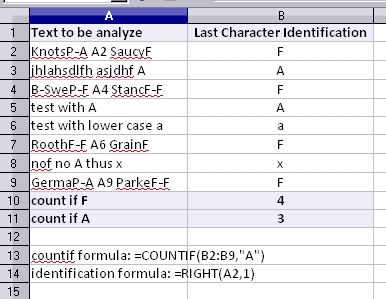
I have a column of text based codes. Some end with F, some with A and some with - .
A1 KnotsP-A
A2 SaucyF–
A3 B-SweP-F
A4 StancF-F
A5 RoothF-F
A6 GrainF–
A7 RavenP-F
A8 GermaP-A
A9 ParkeF-F
A10 LucieFE-
A11 Top MPEF
A12 WarneF-F
I would like to be able to count how many end with F.
I have tried a number of variations suce as:
=countif(A1:A12,.f)
and
=countif(A1:A12,".F")
and
=countif(A1:A12,"=.F")
but they do not work.
=countif(A1:A12,"W.") works, returns 1
Please note that the formulae include the wildcard asterix but they don’t seem to show up on this blog.
Any help would be great.
Thanks
FB