
25.8 Junicode:dlig discretionary ligatures not working in calc

A couple weeks ago, I was wanting to have circled numbers. So I installed junicode on my linux desktop, but couldn’t get junicode:dlig to work. I was using an old version of calc LO 5.2.7. I then upgraded LO to 6.1.5.2 using the debian backport. In that version, it worked. Numbers were circled ! All smiles !

I stopped work on the spreadsheet project in order to upgrade my linux system with a fresh install of the latest debian release, 13.3. That’s done. The LO on my system is now 25.8.4.2. I’ve installed junicode on my system, and that font is listed in the drop down menu in, but the numbers are not circled anymore when formated as junicode:dlig
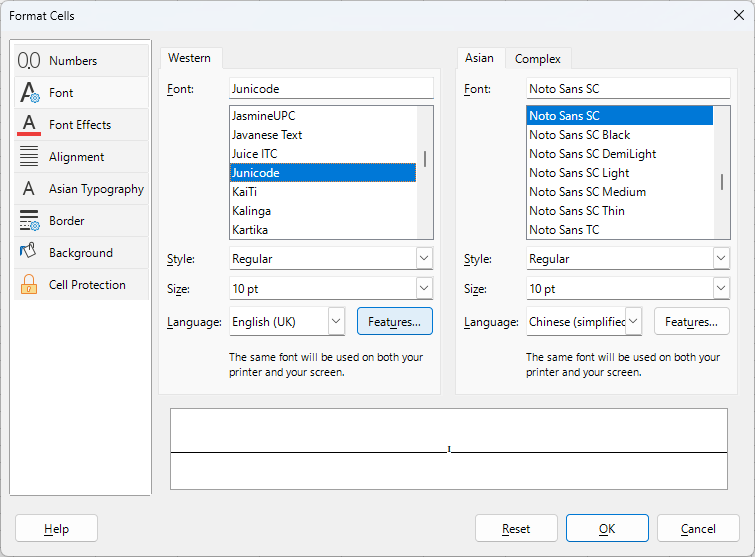
It seems that your problem is not about LibreOffice (and its versions), but rather about the font (and its versions). In Junicode v.2.222, it seems that encircling is done using Junicode:nalt=1. And that’s a question to the developers of the font, which features they use for what.

Thanks, Junicode:nalt=1 works.

How do I find out what version of Junicode I have? and how could I have found the nalt=1 on my own?

Likely depends on what font management software you have. On my Windows, I open the Fonts system applet, and for a given font, it shown me some details, including version.

I use LibreOffice’s FormatCells dialog to get to the font properties;

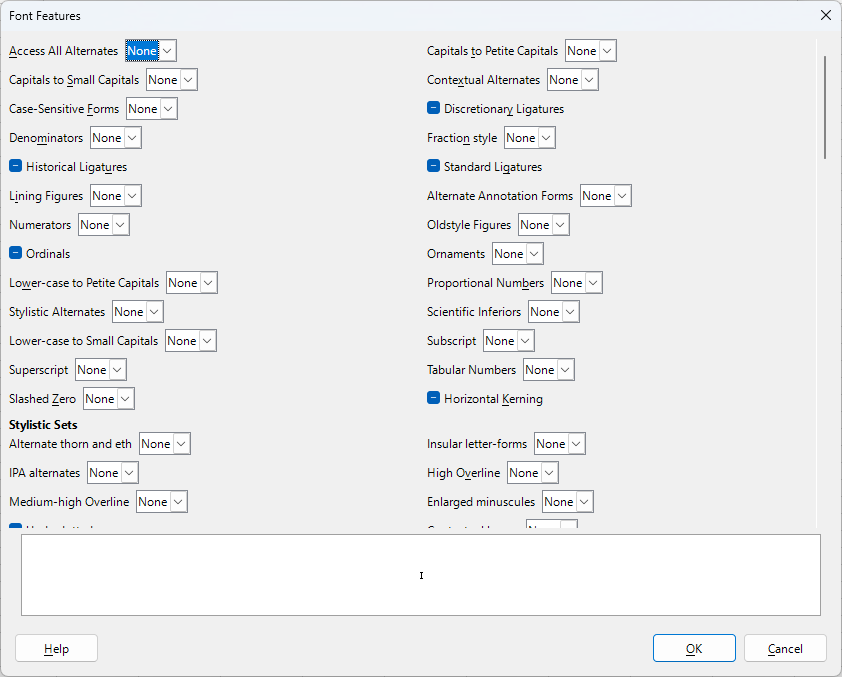
there, I use Features button to get to the list of features supported by the font:

… and given the insane number of features listed there for that specific font (note the vertical scrollbar!), prepare for long trial-and-error session.

1 Like