
Win10, LOF268.1.1 (X86_64)
I want to put Month Year (November 2026) into a Calc cell, but it returns 11/1/26. So I wanted to format a cell for text only, and I couldn’t find any TEXT formatting. Is what I want to do possible and I just haven’t found the formatting I need?
TIA, folks!
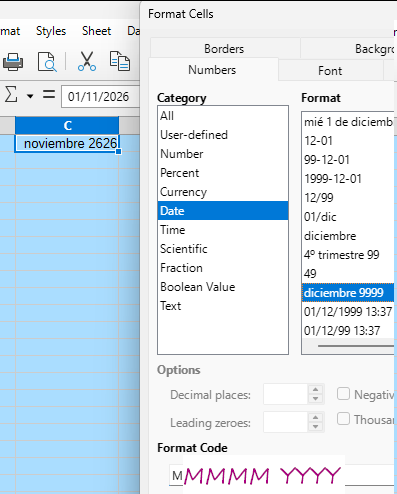
Thanks! Never thought formatting text would be under NUMBERS.
I did, however, find a different solution. One that came from my many years using spreadsheets, starting with Lotus123. I preceded the text with an apostrophe, which is how earlier spreadsheets would solve the issue.
?? you described use of ’ is described in the article linked by @LeroyG
You problem is/was the text recognized as a date and a date is stored as a number of days since beginning of 20th century.
1 Like