Change numbers formatted as text into dates

Hello folks!
I have a column of text formatted with the ’ that I want to convert into dates. for example, in the cell there is
'12/31/2026
and I want to change it into the date format
202612/31 or 2026-12-31

I can delete the ’ manually, but there are MANY cells. How can I delete the ’ using cntl-h or similar?

Thanks for any tips!
John
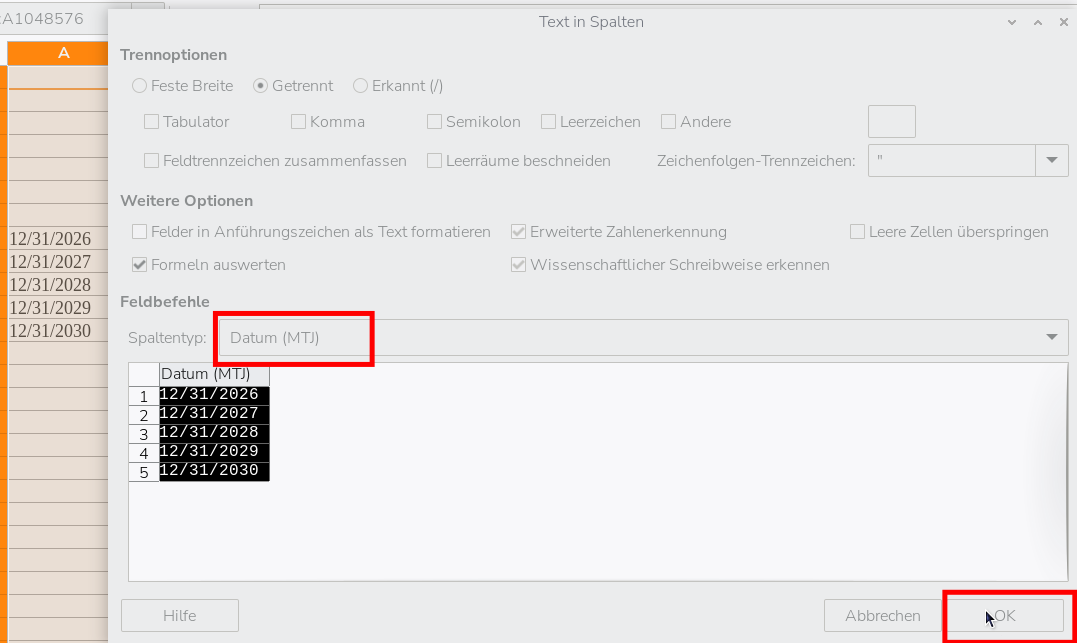
  1. Select the Column, call ⇒Data⇒Text to Columns and choose the Column-Type Date m-d-y klick ok and format the Cells as you like.

or

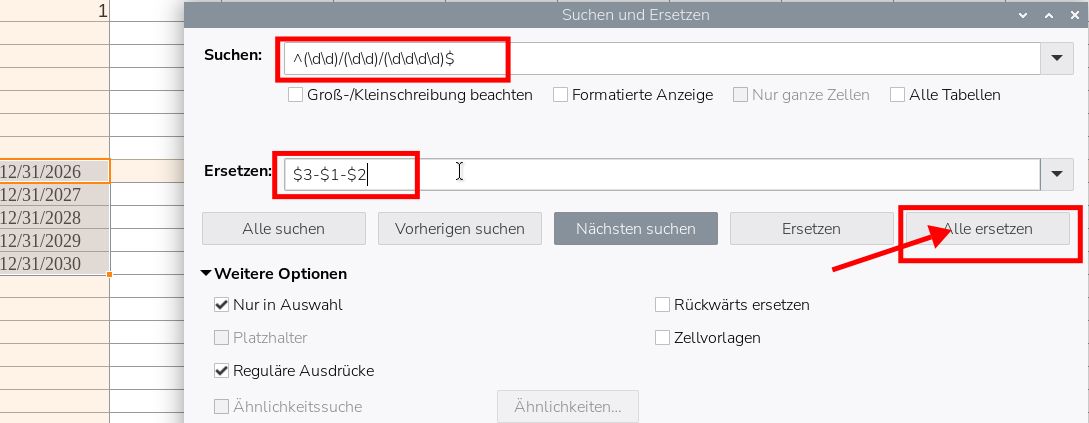
  1. select as above, call ⇒Edit⇒ Find&Replace
    search: ^(\d\d)/(\d\d)/(\d\d\d\d)$ replace: $3-$1-$2
    [x]selection only
    [x]regular Expression
    ⇒replace all
    …to cast directly to iso-formatted Dates
4 Likes

Thank you! I had not even considered text to colomuns. I will try but I think it will work!

All the best
John