
Hi.
After failing to pass the filter to DoCmd in Access2Base - to open a Report
I parametrized @Villeroy’s free floating Form.
It works fine. But of course, when closing, it asks for saving the biblio.odb.
How to code this on closing the form?
Thanks in advance!
Might be something like
SUB DataSave(oEvent AS OBJECT)
 oEvent.Source.activeConnection.Parent.flush
END SUB
Would connect this to “After record action” in the form. There had been the same buggy behavior for Firebird.
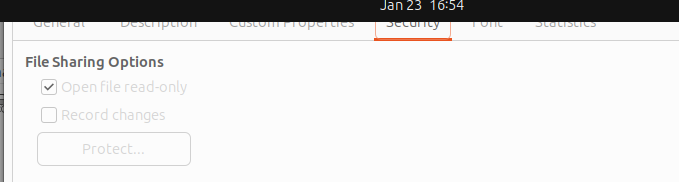
menu:File>Properties…
Tab Security
Open Read-Only
Save.
Now you never get any questions about the unsaved document. You will be prompted for any unsaved form data.
A form’s filter and sort criteria can be changed but won’t be stored unless you store them with the document in read-write access.
Not buggy at all. DB is changed as I set the parameter for the Report’s source query.
And after running it, reset to ? of course.
Rem: as I understand, Report has no .Command property, right?
Was thinking like “On form closing” 
But thank you. Will see this in next days as I’m on another machine now.
It is the Report2 filter = source query.
As I said above, don’t know Report having .Command property
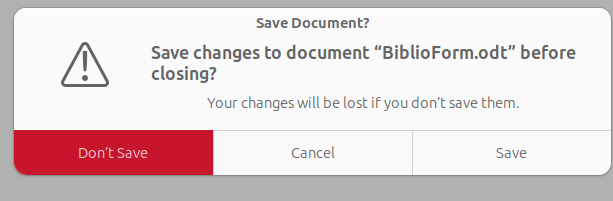
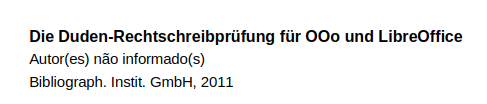
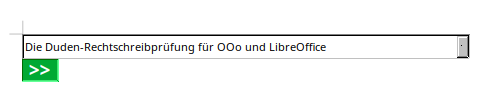
It asks to save the form document (.odt). You can avoid this message by making the file read-only on file system level or by setting the read-only option in the document properties.
The other topic’s form document of mine does not involve any source query. It is a push button on a form which can be linked to any table or query of the right database. The link pointing to any object of the right database makes it possible to open the database document invisibly, open a connection for the opened document, before opening the embedded report. Embedded reports use the connection of the embedding database document.
If you want to open a filtered version of the report, you have to store filter criteria in a filter table and then use something like the following as report source:
SELECT "biblio".* FROM "biblio", "Filter"
WHERE "Filter"."ID"=0
  AND Upper("biblio"."Author") like Upper(Concat('%', "Filter"."TXT1", '%'))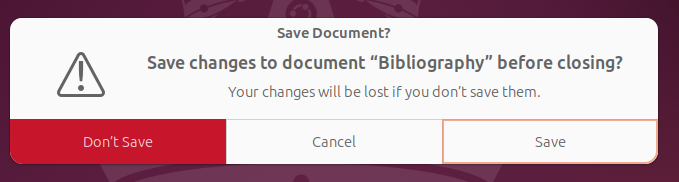
Of course. But while learning about the method, my goal was to parametrize it without the Filter Table Method.
Did you succeed? Can you open a filtered report without filter table?
Seems a little bit chaotic for me: Theme of this thread is about: “When I close the Form I want to save the connected *.odb-file.” Nothing about a report at all…
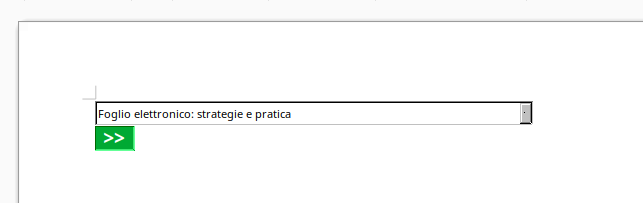
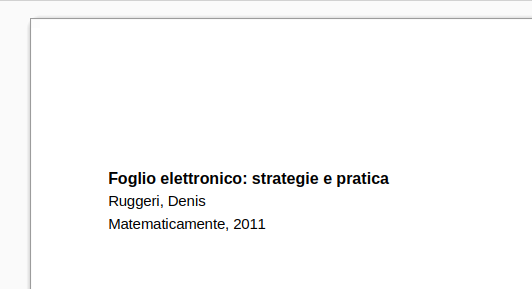
Sure: I pass the parameter from List Box to the Report’s source query.
Option Explicit
Sub button_Click(ev As Object)
	'GlobalScope.BasicLibraries.loadLibrary("MRILib")
	Dim oForm As Object, oCon As Object, oSource As Object, oDoc As Object, LB As Object, QD As Object
	Dim oProp As New com.sun.star.beans.PropertyValue
	Dim sName As String, sURL As String, parametro As String
	On Error GoTo Erro
	sName = ev.Source.Model.Tag 'report name in "Additional info"
	'print sName
	oForm = ev.Source.Model.getParent()
	REM get the List Box parameter:
	LB = oForm.getByName("lbLivros")
	REM set connection variable and alter Report source query to add the parameter:
	If IsEmpty(LB.CurrentValue) Then
		MsgBox "Nenhum ítem selecionado!"
		Exit Sub
		Else parametro = "'" & LB.CurrentValue & "'"
	End If
	oCon = oForm.ActiveConnection
	QD = oCon.Queries.getByName("Query1")
	QD.Command = Replace(QD.Command, "?", parametro)
	oSource = oCon.getParent()
	sURL = oSource.DatabaseDocument.getURL()
	oProp.Name = "Hidden"
	oProp.Value = True
	oDoc = StarDesktop.loadComponentFromURL(sURL, "_default", 0, Array(oProp))
	oDoc.CurrentController.connect()
	wait 500 'hangs when loaded to early
	OpenEmbeddedDocument oDoc, sName, True
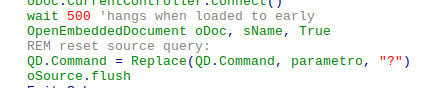
	REM reset source query:
	QD.Command = Replace(QD.Command, parametro, "?")
	Exit Sub
	Erro: MsgBox "ERRO " & Err & Chr(10) & "na linha " & Erl
End Sub
Marked “Read only” option in the file and now I’m unable to undo this and also insert your code in Basic Editor.
Also the dialod does not fit into the screen to Ok or Cancel the option!
When I have time, will delete this Form, download and re-adapt @Villerroy’s example.
Thanks for now.
Ctrl+Shift+M toggles between edit mode and read-only mode.
@RobertG
No
REM save DB on Form closing
Sub SaveDB(Evt As Object)
	'GlobalScope.BasicLibraries.LoadLibrary("MRILib")
	On Error GoTo Erro
	Evt.Source.activeConnection.Parent.flush
	Exit Sub
	Erro: MsgBox "ERRO " & Err & Chr(10) & "na linha " & Erl
End Sub
Event = When unloading
did not work.
Source.flush dit it indeed!
At end of every run.
Thanks to all.
Very interesting indeed!
Now that Save question is solved, will look at this.
Thank you.
It may be asking to save a modified Writer document or modified form data linked to the “biblio” table. Bibliography.odb remains unopened and untouched.