Download of v26.2.6 from LibreOffice web page delivers the wrong file?

On LibreOffice download page selecting to download apple silicon version 26.x downloads LibreOffice_26.2.6_MacOS_aarch64.man

Is this an error on the web page?

.man is not recognized by my Mac. The help says to download a .dmg file which is the normal Mac install extension. Why is this .man and how can I download the correct file?

Use the archive
https://downloadarchive.documentfoundation.org/libreoffice/old/latest/mac/

EDIT:
Above is for “latest”, currently 26.8.1.x
Here follows also the folder for 26.2:
https://downloadarchive.documentfoundation.org/libreoffice/old/26.2.6.3/mac/

I see no problem with the link (green download button).
image

Your linked image is exactly what my comment is about. As I said, there is a problem with the link. When I click the displayed green “DOWNLOAD” button the file downloaded to my computer is named LibreOffice_26.2.6_MacOS_aarch64.man

It is not named *.dmg as LibreOffice clearly sez it should be. MacOS does not recognize .man so I get nowhere. If I had not already been using the x86_64 version for many years I would have just moved to a different app.

That said, I renamed it .dmg and that worked (and leaves me wondering if the download has been compromised).

In spite of this success my complaint remains, LibreOffice’s download page is serving a file with the incorrect extension in the file name. I don’t know why this is happening. Is Apple doing this because I’m downloading a 3rd party file? Is there a problem with LibreOffice’s server? There may be other folks just as stuck with this as I was. The difference is I bothered to create a login ID here and ask about it (last year I made a donation for my many yrs of use so I’m not simply new to this). I hope someone fixes this.

Maybe this discussion on stack exchange can help, https://apple.stackexchange.com/questions/104056/prevent-mac-from-renaming-downloads-extensions

1 Like

Could it be as result of a download manager intervention?

It may be what you comment about, but it is not, what others see/test. I asked my browser to copy the URL and got
https://download.documentfoundation.org/libreoffice/stable/26.8.1/mac/aarch64/LibreOffice_26.8.1_MacOS_aarch64.dmg
So my browser sees a .dmg. The question may be, why you see/saw something different, but that seems to be a problem of your computer/browser unless someone reports the same as you.

What browser do you use? Any unusual download extensions?

Usually you could use the .asc-files to verify contents, but I see for “latest” a 404-error, wich is raising concerns, but for your 26.2.6 the .asc is available.

There was, but concerning 26.8.1

I cannot answer that, it’s beyond my capability. That said, I am using Safari and so I presume that is my download manager. I have no way of knowing if Apple interferes with this.

Another user posted a link that indicated that Apple may indeed interfere with this but that link is fairly old and the solution offered in that link is already in effect on my system. I have had display extension enabled ever since I first started using macOS (previously OS X). I have never experienced this in the past and if I download the Intel x86_64 version it properly downloads a dmg. This only happens to me when I download the ARM64 version.

Perhaps you could try downloading the version, even if you don’t have a Mac. I would be interested to know if this is isolated to me. Later I will try the download on my Mac M4 and see what it does.

adding: this is reply to post of @LeroyG

Based on your info the issue does indeed seem to be at my end. Compromises have become so common I try not to use non-Apple products in general. But then, the Apple App Store is known to serve up compromised files so it’s becoming hopeless.

As I stated elsewhere, I am using the latest version of MacOS and Safari. I don’t use nor have I installed any other browsers. It’s interesting that you were not able to replicate my issue. What OS & browser did you use to get the .dmg?

Here there is always doubt that my connection is good but I used a secure VPN connection into my home so I feel the connection which is initially made via my ISP and not a 3rd party is not compromised.

When I get home next week I’ll go through this same process using my Mac M4 (arm64) and I can also do this with a linux box I seldom use. Maybe my Apple laptop is compromised in some way, or maybe the latest version of MacOS has a bug. I guess only time will tell the answer.

Thanks for the Info.

adding this is reply to post of Wanderer

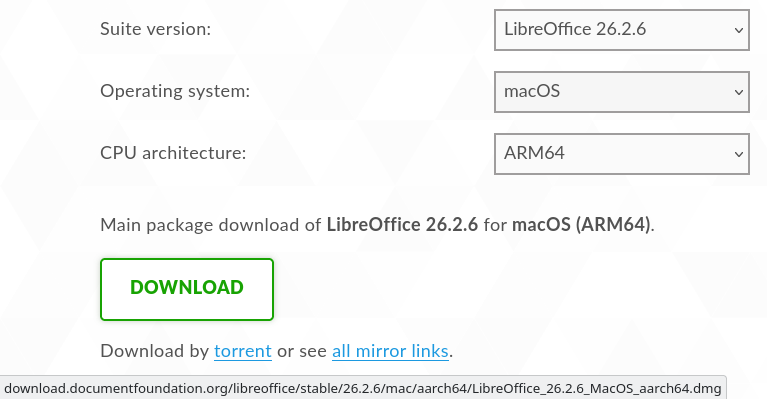
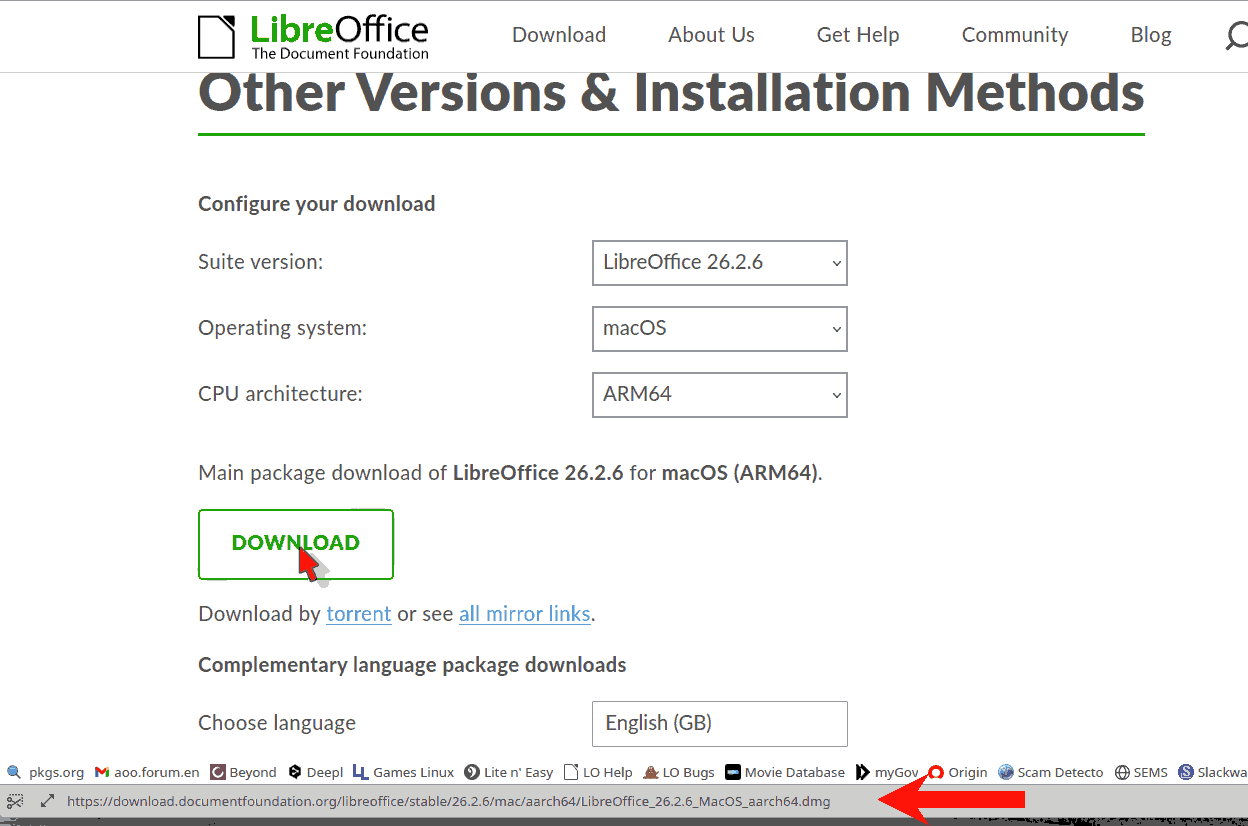
Using Slackware Linux and Waterfox 6.7.5; if I visit the download page and select Mac ARM as the desired OS/chip architecture, the browser indicates that a .dmg file is available for download - see the status bar indicated by a red arrow in the image.

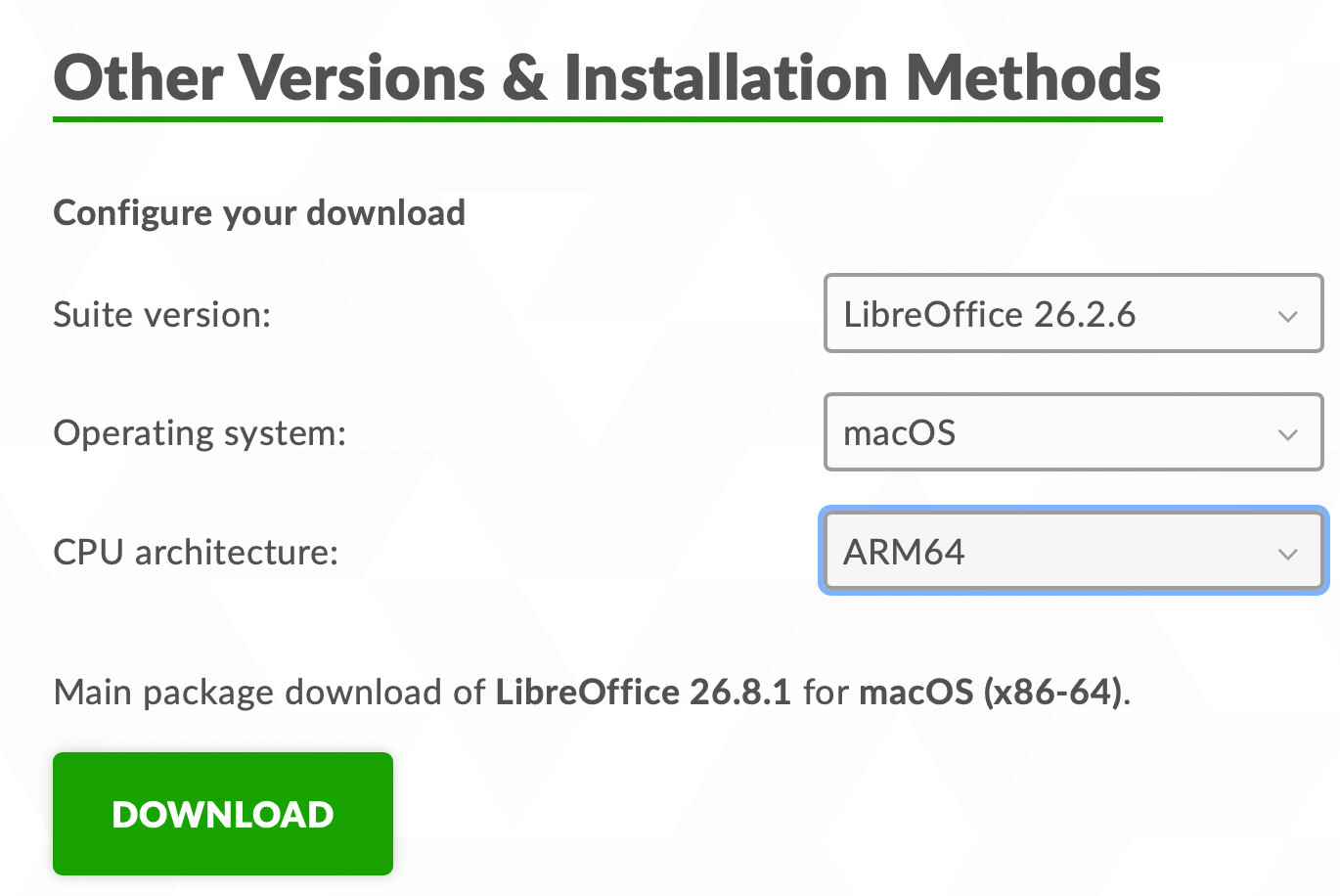
Thank you. My Safari does not display the info in a status bar as you show in your post. But more interesting is that my page does not confirm my selection of architecture.

Note that it remains displaying as x86-64 after changing the selection.
I used a Safari tool (Web Inspector) to look at the element for the Green Button. It clearly shows the correct file, …aarch64.dmg as selected.

If I click the download button and start it (I immediately stopped it after it started) the download history shows the correct file.

At any rate I retract my statement about the wrong file extension because it seems that whatever the problem was it happened at my end. If you wish to delete this thread it would be fine by me. I’m sorry I’ve burned up so much time on this.

A quick search on the internet shows other programs like Claris FileMaker get their extension replaced with a .man extension when downloaded with Safari, the workaround is to use Chrome or to rename when downloaded.

Maybe file a bug report with Safari

Wow, thanks! I know Chrome is popular but I prefer to keep my apps “in house” so to speak. LibreOffice is the one major exception, probably because after years of use I trust it. I’ve never heard of Claris FileMaker but when I get home I will look into this .man more carefully and certainly file a bug report if I can gather enough evidence.