
I have a pptx file with 64MB size and lot of images in it, when converting this file to pdf it take huge time around 20 minutes to complete the pdf conversion also Resource utilization, particularly memory consumption, appears significantly higher when processing large presentations.
since soffice is taking more memory my other applications are struggling or not performing due to the short of memory on the Kubernetes pod.
Is there any configuration changes that we can do for limiting the memory use for soffice ? or any other alternative that we can provide quickly.
Please note , this is for linux.
Try to print the presentation into a virtual PDF printer. On Linux something like PDF printer-driver-cups-pdf or other virtual printer.
Result?
@Grantler I don’t see any benfit with this approach, more over the taken to complete conversion is very huge with cups, with libre office convert-to pdf command it is taking aroung 22 minutes where as with cups 106 minutes which is very very huge, actually soffice is giving data to driver quickly but cups is taking too much time to finish writing pdf. also memory consumption between two approaches are attached.
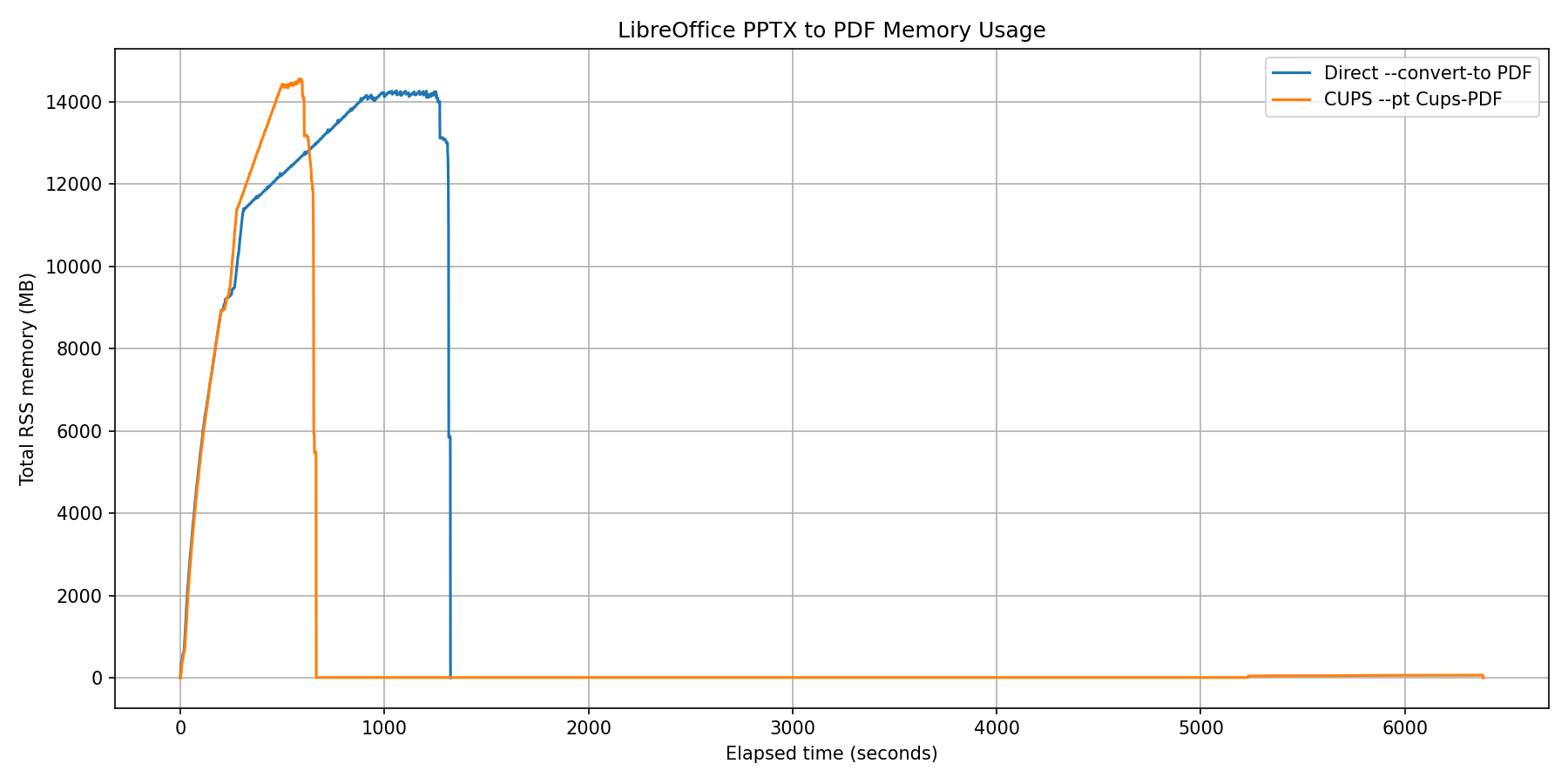
High resolution images are the most likely culprit.
yes almost every slide has the images, is there a way to minimize this
Is it more like: “Before LibreOffice processes the presentation, reduce unnecessarily large raster images using mogrify so that LibreOffice has less image data to decode/render.”
In-built minimizer in menu Tools:
.
https://help.libreoffice.org/latest/en-US/text/simpress/01/PresentationMinimizer.html
2 Likes
Well, “mogrify” is the program I use to run before using high-resolution images in any context. Sorry, I forgot that Impress has its own size minimizer.