
There is something wrong with cell protection that is not working. Cells that are NOT marked as protected are being treated as protected when the sheet is also protected. Video to reproduce and I wll also add the actual sheet so you can see for yourself.
Almost 4 minutes of video with the issue shown in just a couple of seconds of the entire video! To summarize those few seconds:
- Unprotected, merged cells cannot be copied and pasted into themselves in a protected sheet
Workaround
Paste into the Address bar
Here is a better sample to test
UnprotectedMergedCells138656.ods (11.0 KB)
You’re welcome.
Blake Cripps
Workaround does not work - pasting into the input line does not copy formatting like copy/paste for formulas would.
In which case copy the text inside the merged cell and paste into a merged cell. The cell formatting won’t be copied but most text formatting will.
.
You can report a bug, How to Report Bugs in LibreOffice - The Document Foundation Wiki
[Edit]
I modified my sample document to create an unprotected empty merged cell. I converted it in LibreOffice, opened and saved it in Excel 2010 as xlsx.
The xlsx pastes OK in both Excel and LibreOffice Calc LibreOffice.
Pasting from the .ods into the xlsx in LibreOffice pastes OK but not the other way round
UnprotectedMergedCells138656.ods (12.3 KB)
UnprotectedMergedCells138656.xlsx (7.4 KB)
Correct, but obviously if I could copy and paste into the cell, I wouldn’t be here - that was the point of the post and the video - protection was not letting the paste happen into the merged cell (even though as the video shows, the cell was actually unprotected).
So, report a bug
Bug reported, Bug 174169 - Unprotected, merged cells cannot be copied and pasted into a similar merged cell in a protected ODS sheet
The issue is that the cells behind the merged cell are protected, and when copying a merged cell also de cells behind are copied.
1 Like
The order of operation appears to be critical:
- Select your range and unprotect the cells
- Merge the cells
For existing spreadsheets.
- Unmerge the cell
- Unprotect the cells
- Merge the cells
- Repeat for next merged cell
Risky* Workaround
Save spreadsheet as .xlsx, close it, re-open it and save .ods
- the 2 file formats are not 100% compatible, issues might arise.
So the issue is that if cells “underneath” a merged cell are protected (even though they theoretically shouldn’t exist if they are merged), that’s what’s throwing it off? Even though LibreOffice themself when you CTRL+1 on the merged cell will not say it is protected? That seems counter-intuitive for sure…
I eventually just unprotected the whole sheet and went back and redid everything for that and it seems to be working now so the workaround I would say is confirmed working.
You could add yourself to the CC list for the bug report I linked in an earlier comment
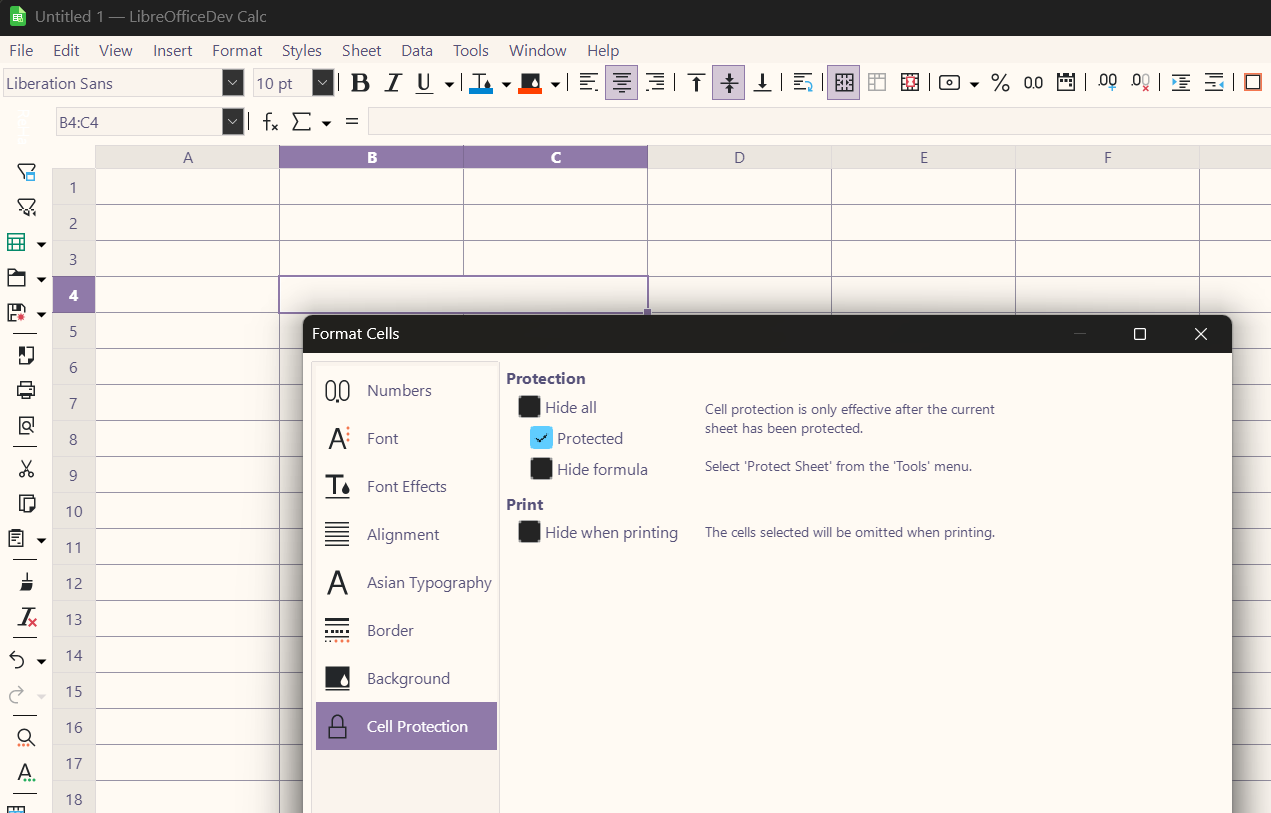
You are right. Resaving as .ods reverts to protected. During testing I also used Excel 2010 and when that saves it properly removes the protection for the cells under the merged cells