
As aforementioned, I’ve found out that LibreOffice Draw doesn’t allow to hide page borders! Although search engines bring answers saying that such option is available at View menu, actually it isn’t.
In LibreOffice Writer, the option to exhibit page boarders is there, and works as meant. But, so far, I couldn’t find the same feature in Draw…
Maybe this question will add some details, How to show Page Margins in LibreOffice Draw? - #12 by Hrbrgr
You could add yourself to the CC list of the bug report
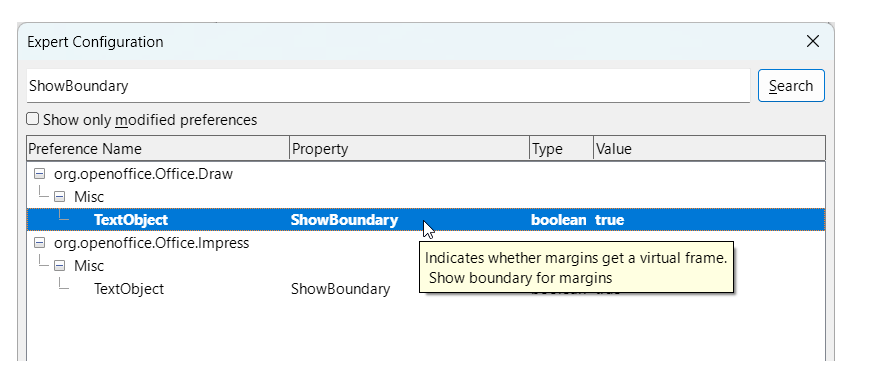
The default installation for 25.8.3.2 appears to be to show margins. I did not notice before.
LibreOffice Release Notes 25.8:
- Boundaries are shown for page margins; disable with the expert option
Draw::Misc::TextObject::ShowBoundary(Heiko Tietze, TDF) tdf#89420
1 Like