
Somehow when editing a document, the document has the ruler at the top of the page, but it only extends across the center of the page. There are two blank areas on either side. My desired viewing is having the document fill the entire page. This is probably something I have done, I just don’t understand how to go back to the way it was.
Help!
The ruler will span from margin to margin of the page, frame, text box or the width of the selected object.
Did you want Web View? Click View > Web
1 Like
No, I do not want web view.
When I open a document, the bottom line shows that the document is at 53%. I would like to change this so documents are opened at a minimum of 100% or maybe even larger. I do not know how to change this default.
Go to View → Zoom and set your desired view level for the document. Save the document and the new zoom level will be maintained on next opening that document.
You can also zoom using Ctrl+Mouse Wheel or via the zoom slider on the right end of the status bar.

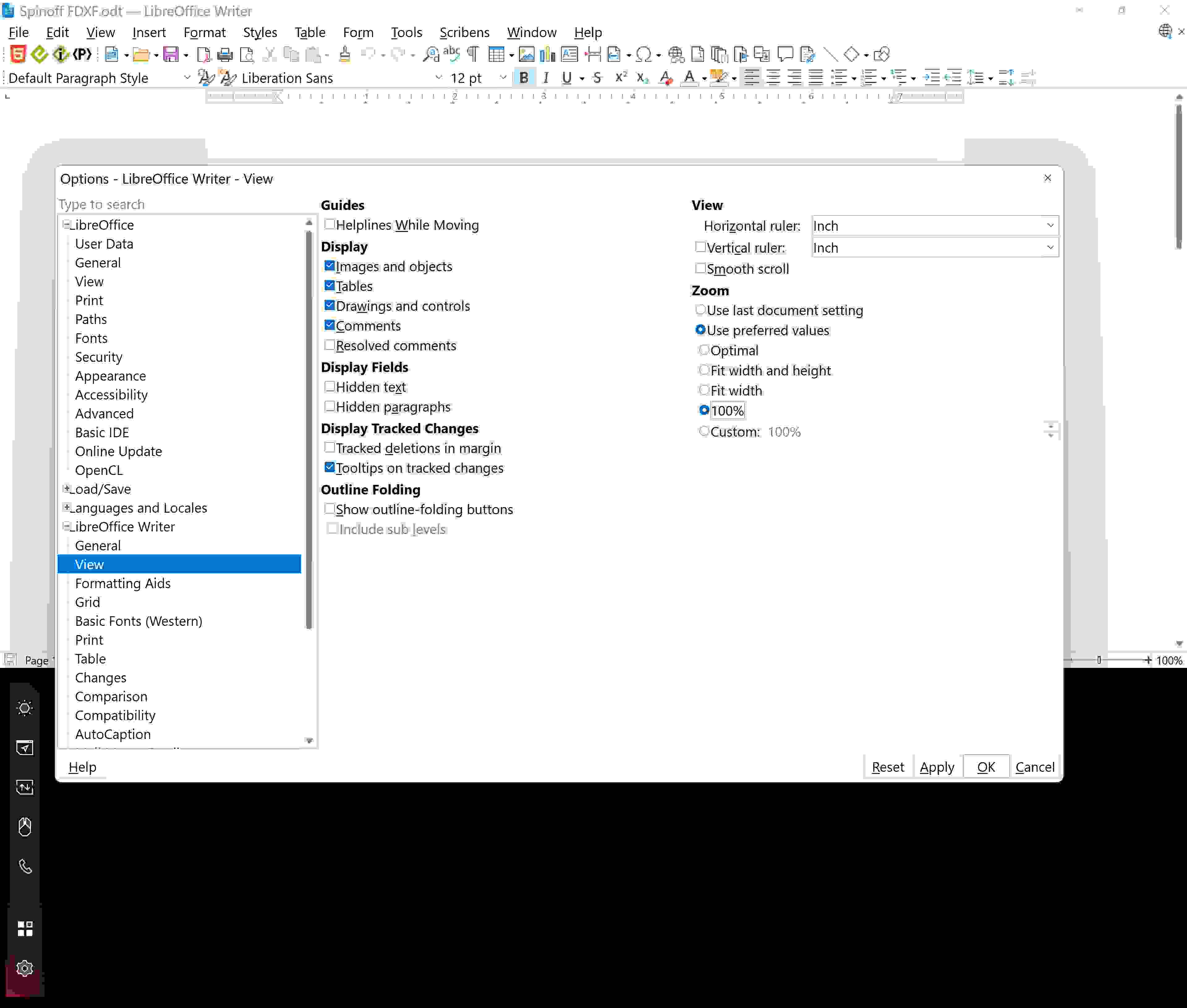
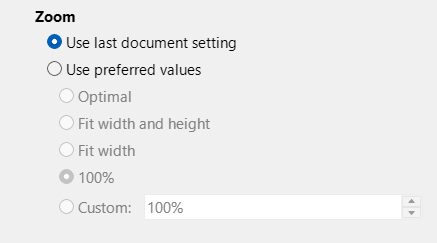
Tools → Options → LibreOffice Writer → View
Version: 26.2.4.2 (X86_64)
Build ID: 0229ac93fcf0d7cbc6376066c6f35021cef002dc
CPU threads: 8; OS: Windows 11 X86_64 (build 26200); UI render: Skia/Raster; VCL: win
Locale: en-CA (de_DE); UI: en-GB
Calc: threaded
That did not work. When I open a new document it reverts to 53%.
If you use the settings shown by @PKG what do you expect?
.
Last document setting will only be changed, if you save the default templates for new documents again, after you adapted size.
Sorry PKG, That is not an option in my version 25.8.5.2.
I have looked for a template, but can not find it. You folks expect novices to know where and how to change basic settings. I need more detailed instructions.
When I look for templates, it comes up with some hogepoge of listings that are for other applications. Do I need to uninstall and start from scratch? I may have screwed something up, but am going around in circles. Sorry to be so antagonistic but this is frustrating since I have been using LO since version 4 and never had this issue until the last release or two.
?
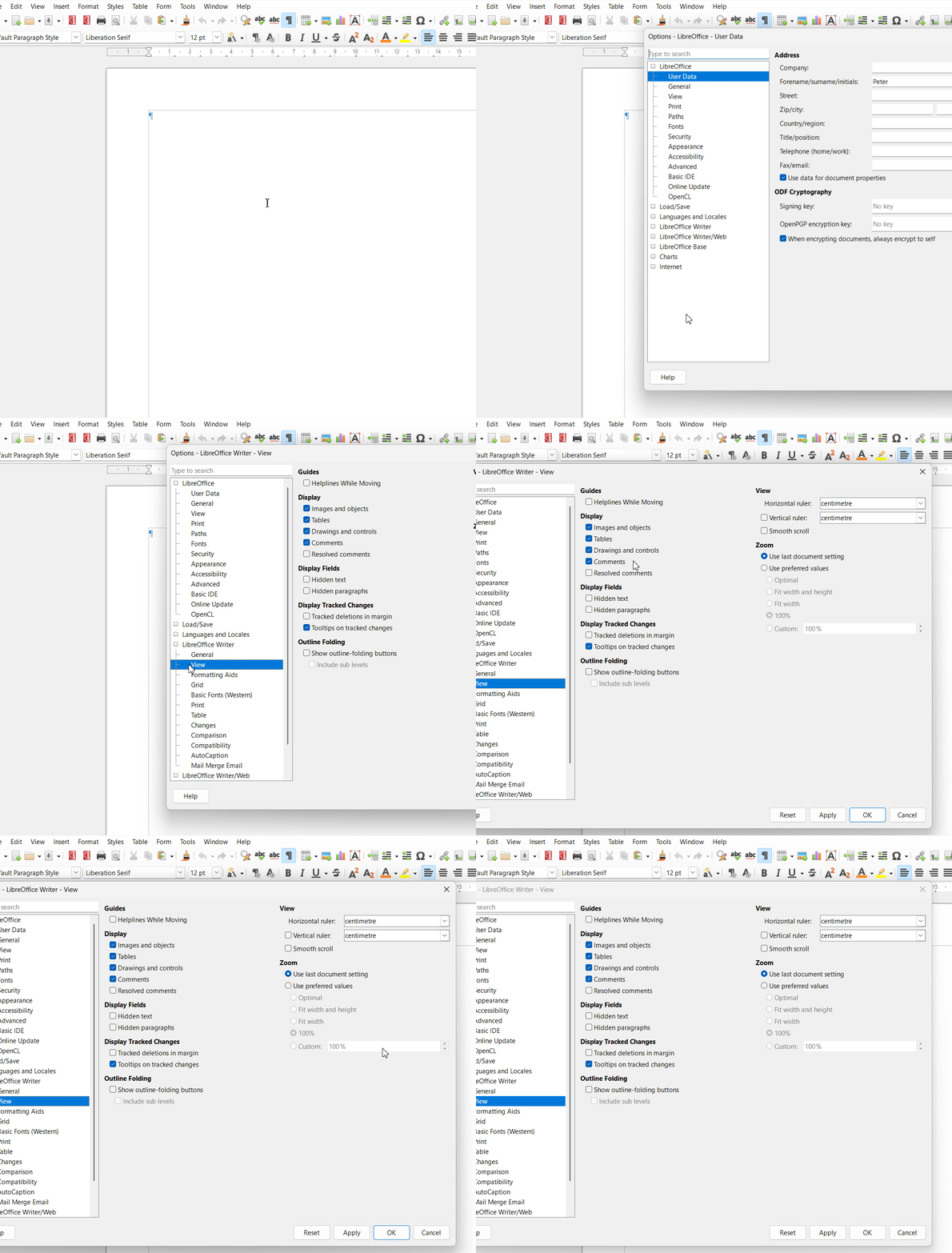
Video from:
Version: 25.8.7.3 (x86)
Build ID: 30742500f2d3eb4366ac312fa33d3dcabdb3eba5
CPU threads: 8; OS: Windows 11 X86_64 (build 26200); UI render: Skia/Vulkan; VCL: win
Locale: de-DE (de_DE); UI: de-DE
Calc: threaded
1 Like
Thank You!!! Sorry for the inconsiderate response.
Leading the uneducated by the hand worked.
DanC