Menubar vanished after update

After updating to Kubuntu 25.10 I did the libreoffice update and now run Libreoffice Writer version 4:25.8.3-ounbuntu0.25.10.1.

I remember on updating Libreoffice the installer asking if I wanted the ribbon or the other one, as I hate both I think I clicked the other one. I just want a menubar. Please don’t steal my screen real estate with gumph, I known these feature go back to th e90s but they are never used by me. Just like AI summaries in gmail they just get in the way. I’ve been using word processing software since the mid-1980s.I’ll customise them away when I get the menubar back.

On running the new libreoffice, lo and behold, there no menubar at all. How do I get it back???

Hopefully there is a key command, even if I have to customise it??

I found a similar topic from 4 years ago,

but was of no help as ( I left a comment there).

Please note if help is to advise me to go to the menubar… i cannot.

Save the screenshot and then click the Upload icon (7th from left) with tooltip Upload. Or just drag it from you file manager on to an open comment or your reopened question

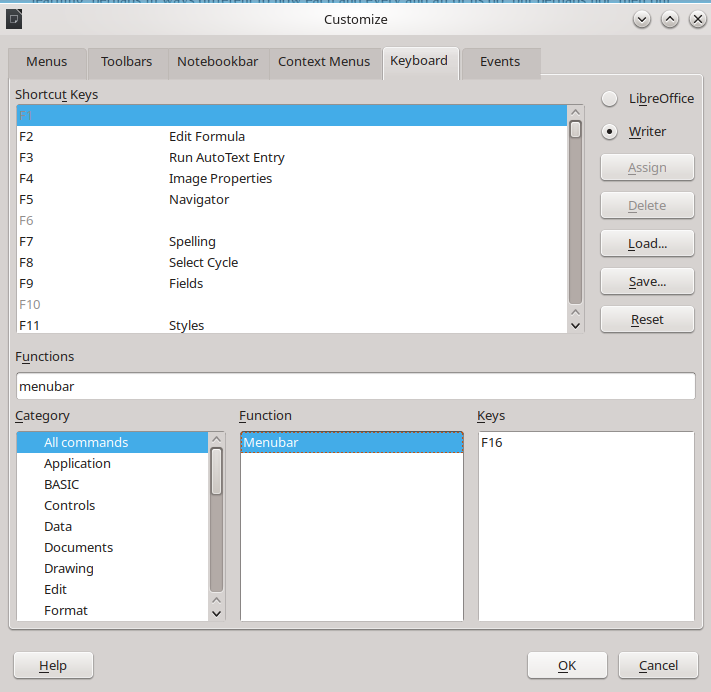
key assignment did nothing

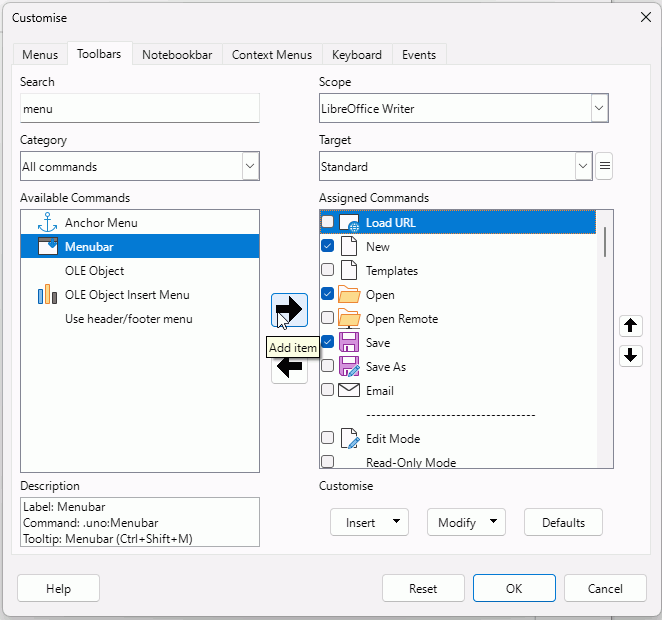
I don’t have a F16 key. I assigned it Ctrl+Shift+M and that works, or you could add it to the Standard toolbar. Here I am adding it at the beginning (below Load URL), just where it appears in the Tabbed interface.

No, I’ve successfully added this button and again, like the F16 button assignment, it does nothing when clicked.

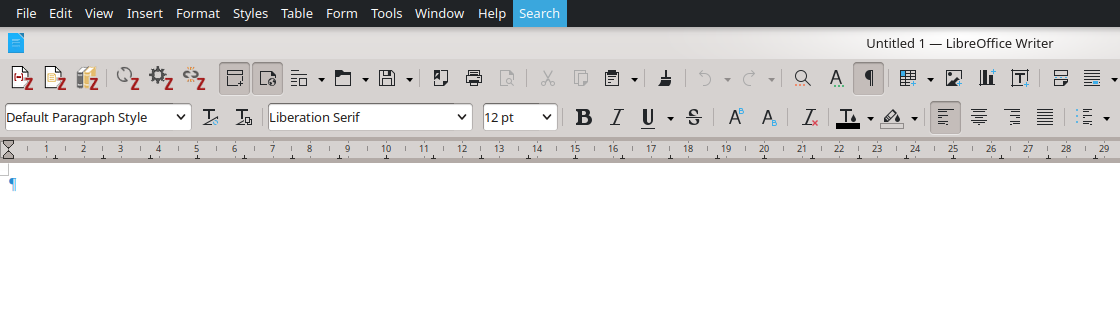
I should add that I have successful added the web view button and that it works (which is what I wanted to do when I discovered the menubar is missing) Both look depressed in the screengrab

(also the updated kubuntu screen clipper “spectacle” jumps straight to screengrab selection and ignores the delay function, why is even open source getting ****tty)

The top of the window is not visible, it looks clipped by the screen. Can you move the window down?
I think the window might have been the problem all along. Might be worth looking at this answer to another question that shows screenshots, The whole interface got incredibly HUGE - #6 by Wanderer

yeah i clipped it off

here is all of it (with delay screen grab):slight_smile:

found it, it was a non descript bar on the other screen…