
How to do you open a firebird embedded Database in LO 25.8
The database opened no problem in LO 6.4
I still have a woking copy on a Win 10 laptop( with LO6.4 ) but would like to use it on a Win 11 laptop with LO 25.8
Version: 25.8.2.2 (X86_64)
OS: Windows 11 X86_64 (build 26200)
Thanks that solves that problem but it has given me a new problem
I can now create ( in LO25.8 ) new firebird embedded Database and
will also convert HSQLDB embedded to firebird that were created in LO6.4
But what I still cannot do is copy across an old firebird embedded file from LO 6.4 in win 10 to LO25.8 in win 11 ( but i can do it for the HSQLBD )
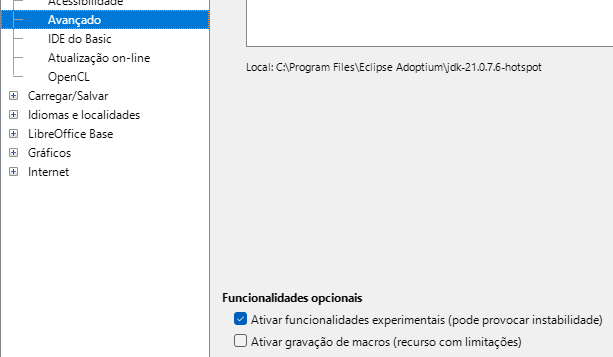
I can use existing Firebird databases without experimental features enabled. I can even create new Firebird databases that are not embedded (which is the better choice anyway). The experimental option makes embedded FB the default for new databases (which is the worst option, IMHO).
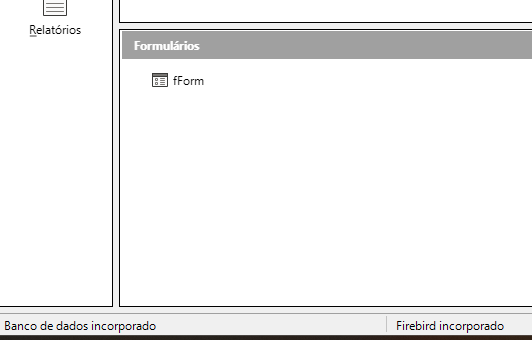
What does actually happen when you open this database document with embedded Firebird?
relations2listboxes_FB.odb (73.0 KB)
I can see all your tables, but on my LO6.4 tables the tables show no data
Upload your database document, please.
At least, there is a database embedded. The detailed error message goes like this:
Error code: 1
firebird_sdbc error:
*arithmetic exception, numeric overflow, or string truncation
*string right truncation
*expected length 10, actual 15
*gds_$send failed
*Exiting before completion due to errors
caused by
‘isc_service_query’
I have no idea how to fix this binary blob named firebird.fbk which is embedded in the Base document.
ok thanks. I guess I have a very long cut and paste job ahead of me
Yes, same to me here now on another machine:
24.2.7.2 (X86_64) / LibreOffice Community
OS = Ubuntu 4:24.2.7-0ubuntu0.24.04.4
Do it in an external DB.
firebird3.0-utils is a toolset to backup/restore/repair firebird databases. I don’t have time nor inclination to try out.
Thanks, I’ll give it a go.
I remember this, but not in detail. IMHO it was a problem with multi-byte characters in utf-8, (like ä ö ü ) not counted correctly. When they fixed this some 10 character strings needed more bytes than characters. The data refuses to load.
.
Quick solution is to expand the width of the column(s) on the old system to have enough space.
.
Edit: This is the bug-report:
https://bugs.documentfoundation.org/show_bug.cgi?id=144163
.
The key problem is the following (and read 7.1 as “versions before 7.2”)
In 7.1 it is possible to enter more characters than defined (see example).
This buggy table can’t be opened in version 7.2.
The table inside the document contains field varchar(10), but the content in side the fields had more characters - an old bug.
Cutdown.odb (352.0 KB)
Have corrected this in the example. Set VARCHAR(10) to VARCHAR(40) in LibreOffice 6.4.7.2 and could open the database in LO 25.8.3.2
You could try this:
That is perfect. I did as suggested on the example that I uploaded ( Cutdown.odb ) and increased the VARCHAR(10) to VARCHAR(40) it worked perfectly. Obviously the full database may have similar problems on other tables but this gives me the way forward . Many thanks to every one
1 Like