Printing envelopes froma data base

This has nothing to do with OpenOffice. Just open all the files in question with LibreOffice.
[Spreadsheet] → [Registered database document] → [Serial letter]

  • Make sure that the spreadsheet with the address data exists.
  • Open both of your database documents with LibreOffice.
    I guess that envelopeMaillist.odb is the old one which lost the path to the spreadsheet and that New Database mail 25.odb is the new one which is connected to the spreadsheet (shows tables with data). Have a look at the status bars of both windows. There you see the difference. The old one might point to a non-existing file. The new one might point to your spreadsheet. This is the status bar of a database window with a spreadsheet connection on my Linux laptop:

    Spreadsheet_Connection_Statusbar
  • You may repair the old database document by calling menu:Edit>Database>Properties… You get a dialog with a [Browse…] button. Click it and point to your spreadsheet.
  • You may also continue with the new database document if it shows the correct data in the tables section.
  • No matter which of the 2 database documents you want to use, the repaired old one or the new one, call the registration dialog for databases and add a working database document by clicking the [New…] button. The button shows the following dialog:
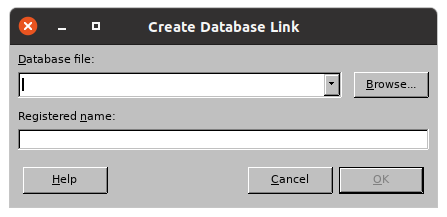
    Bildschirmfoto von 2025-12-06 12-34-22
    Browse to your database document and make sure that envelopeMaillist is the registered Name.
  • Now your data source window above the serial letter shows envelopeMaillist with some table(s), and when you click the table, the contained data are shown in the right pane of the data source window.

Your serial letter show be able to pull the right column data from the right table in the right data source. IF NOT, call Writer-menu:Edit>Exchange Database… and choose the right table within the right data source.
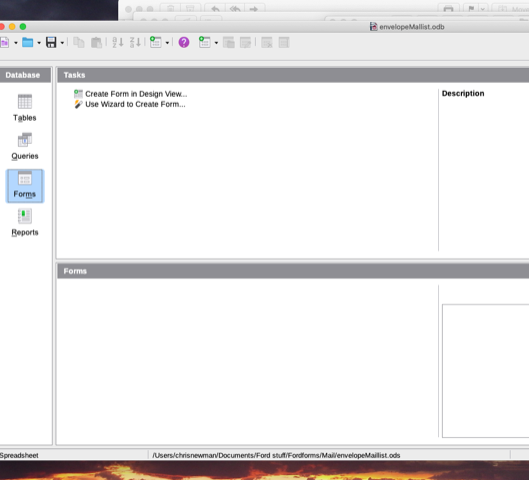
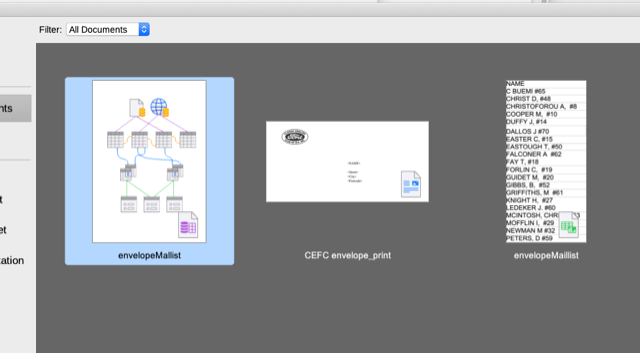
There seems to be glitch in the program and the one thing that does not work is the Browse button. Every time I have been pressing it I get the spinning ball for some time and then nothing. Same when I try to use the Open button - spinning ball and then nothing - it doesn’t show a dialog box asking what to open. Is there something I need to do or haven’t done?

This has made it impossible to select a data base or even open it from within Libre. If I go to the folder and click the file Open Office kicks in and opens it. The only way I can get Libre to open a file is to drag and drop it into the Libre ‘operating window’ for want of a better word.

The spreadsheet I want is envelopeMaillist.ods and it is definitely linked to envelopeMaillist.odb as the screenshot shows

If I can Browse and Open that will make life a bit easier trying to complete this task. I have now deleted NewMaillist25 and envelopeMailist .odb from the documents folder. Now the Libre office window has the two databases I need to use but I cannot get the .odb file to appear in the registered databases

Screen Shot 2025-12-06 at 9.19.20 pm.png
Screen Shot 2025-12-06 at 9.24.53 pm.png

This is really disturbing. Do the database registration with OpenOffice and use that.
An office suite without file picker dialogs is unusable.
P.S. Ignore any misleading hint to upgrade OpenOffice. It detects that your files were made by some more recent program (which is LibreOffice) and assumes that there must be a new version of OpenOffice, even if you have the latest version of it.

Throughout this whole thread, I’ve noticed that you are repeatedly having issues with access to your files.

Did you give LibreOffice full disk access atfer installing it ?

This setting is activated in the system settings options, usually under Security and Disk Access.

At a minimum, LO requires access to all of the folders from where you might want to load a file. This isnot authorised by default when you install LO in currently updated versions of macOS, as Apple has tightened its security model progressively.

1 Like

Thank you All for you suggestions. Some progress! I opened Full Disk Access (under Privacy in a Mac - had to ask that question on the internet) and found that Open Office was not granted but Libre Office was OK - tried it twice before it was accepted.

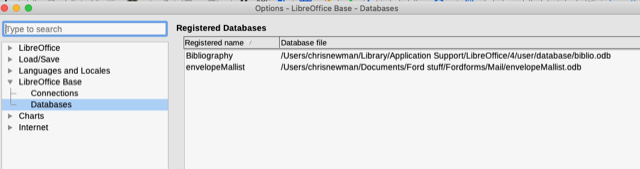
So now I could browse as you see from the screenshot and I have the the .odb file in the registered database on the printing file
.
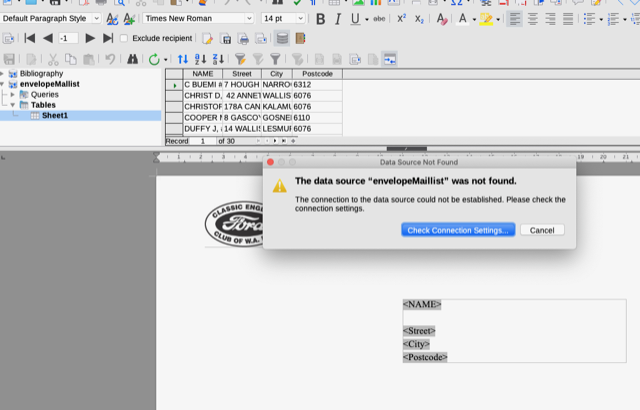
BUT when I try to print it says check the connection settings! Do that and try again same result. I thought I would try Open Office again which had worked for years and the same result.

I even tried exchange database which sometimes worked with OO but no joy. Something is not connecting.

Treker71

Screen Shot 2025-12-07 at 8.00.44 am.png

Screen Shot 2025-12-07 at 8.02.02 am.png

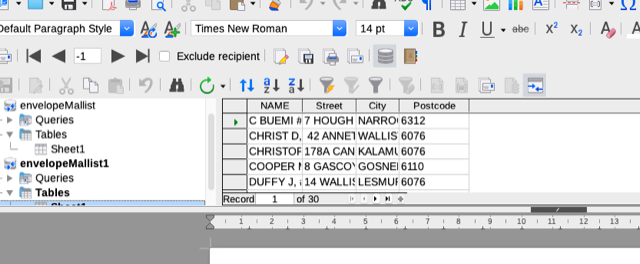
Screen Shot 2025-12-07 at 8.05.20 am.png

Have been digging, trying this and that but no joy. Have created and registered 2 new odb and when I try to load the data I can see it in the list for printing - click on it and it shows tables but that’s it - no sheet with the data on for printing. Not even an arrow in the tables ikon showing there is a sheet. I’m beginning to think there is problem with this download of LO 25.2.2 and perhaps I should delete it and load a slightly earlier version of LO.

Also re-checked Full Access. Quit LO and OO - unchecked and re checked the box and locked the change but no difference.

Treker71