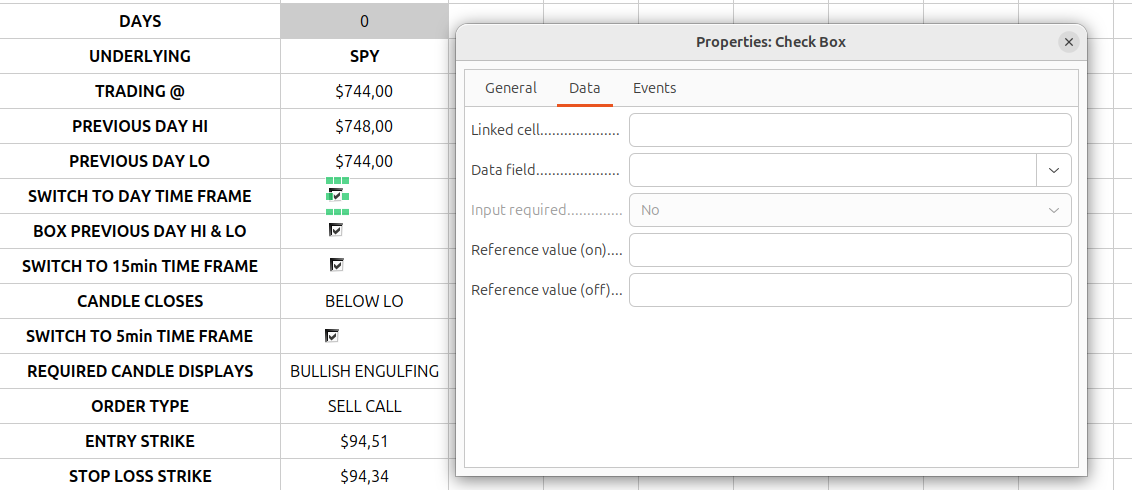
Radiobuttons in calc do not allow for value entry

I am trying to use two radiobuttons in calc to populate a third box with a text string depending on which button is selected.
Help I’ve seen online/AI says to enter the text string n a field called “set Value” or such like. I do not see this field in any one of the three tabs available.
How do I do this please.
Grace

Libreoffice linux Version: 24.2.7.2 (X86_64) / LibreOffice Community
Build ID: 420(Build:2)
CPU threads: 4; OS: Linux 6.17; UI render: default; VCL: gtk3
Locale: en-CA (en_CA.UTF-8); UI: en-US
Ubuntu package version: 4:24.2.7-0ubuntu0.24.04.5
Calc: threaded

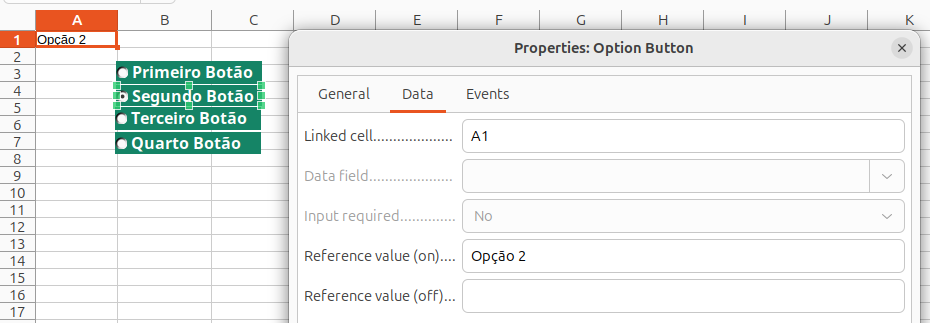
Let me guess a bit (as you neither told what you asked, nor precisely what you got): Your AI “talks” about setting the value(s) by macro. Compare to the following link/thread, where reading inormation isbthe topic, but there are similiar set-methods available.

Hi Wanderer,

Sorry, I thought everyone knew what I was doing!!! :grinning:

I asked how to set the “value” returned when the radio button is selected, but I’m doing this in LibreOffice calc. I know nothing about macros, and thought that I might able to get the value from the selected radiobutton using calc formulas.

I’m beginning to suspect that I will have to learn macro writing. Is that a fair assessment?

Grace

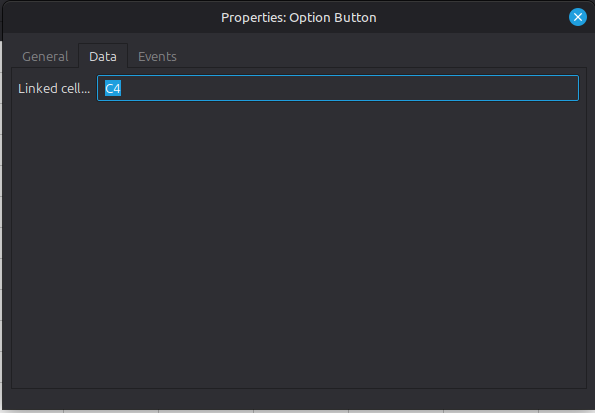
Hi @GraceLouise, in the radiobutton properties, on the Data tab, you can specify the cell to which the data is linked.

ask135792.ods (14.0 KB)
Both buttons share the same name “Group One Two”
Both buttons are linked to the same cell B1. The first one puts the string “1” into B1, the second one writes “2” into B1. The VALUE function converts the digit into a number.

?? I think usually one tries to “get” the value selected via radio-button.
.
Do you really try to “set” this value? (Meaning you want to write a value and then your radio+button is changed to visualize this new value.)

Control Properties > Data > Reference value (on)
 

2 Likes

I dont know why, but i only see linked cell, not the other fields.
Maybe because my button names ar different.

Please attach the screenshot.

No issue with button names.
Group name must be the same for all.

Each button has a unique name.
Both buttons are in Group Button Group.
Here is shot of the data tab. (When both are same cell, only FALSE appears, even when different button selected.
Cannot attach image, but the tab only shows the Linked Cell option.

:ok:

Then upload the .ods

Ask/Guide - How to use the Ask site - The Document Foundation Wiki

Several [eople to which I need reply.
Again, here is my situation.
I have two radiobuttons, each have a different button name, and both are in the same group. When I look at the date tab, the only option available is set the “linked cell”
When I do that;
neither button shows as selected,
my “linked cell” field shows FALSE regardless of which button has been selected.
I will try to attach the file.
RadioButton Test.ods (73.4 KB)
Thanks for all the suggestions

Ola @GraceLouise, em sua planilha tem 4 RadioButton, ao selecionar, cada um deles, o que deve acontecer, tem que estar previsto nas fórmulas. De mais detalhe sobre o que deve acontecer ao selecionar.


Hi @GraceLouise, your spreadsheet has 4 RadioButtons. When each one is selected, what should happen needs to be specified in the formulas. Please provide more details about what should happen when each is selected.

Where?
I see 4 CheckBoxes all checked, with neither linked cells nor value set.
 

1 Like

I’m sorry, I’m obviously confusing myself badly here.

That spreadsheet is not the correct one. I’ve sorted myself out so let me try again.
RadioButton Test.ods (16.3 KB)

Is that how you want it?
RadioButton Test_GS.ods (15,3,KB)

1 Like

@schiavinatto solved it of course.
But as explanation: I don’t know how :thinking: but you placed the entire (2) group as just 1 control.
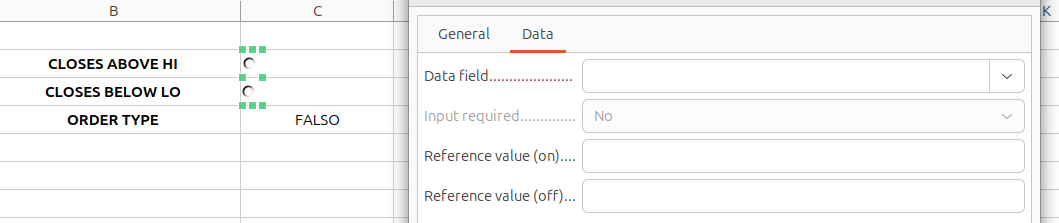
Must place them individually and afterwards set its properties:

Only do it on the first one, name; group; linked and value.
Copy/Paste and change only the value.

@schiavinatto: It is exactly as I want it! How do you get the text though?

Here is my data tab
image