
Warning messages on LibreOffice startup

For the last few (?) years I have been getting warning messages on starting. The warnings have changed from LO version to version, but they always appear. LO seems to operate correctly even with the warning. Is there a concern? Is there a hidden fault that I have to address? How can I get rid of the messages.

Here is the latest sample.

Could not find platform independent libraries
WARNING: A restricted method in java.lang.System has been called
WARNING: java.lang.System::load has been called by com.sun.star.lib.util.NativeLibraryLoader in an unnamed module (file:/C:/Program%20Files/LibreOffice/program/classes/libreoffice.jar)
WARNING: Use --enable-native-access=ALL-UNNAMED to avoid a warning for callers in this module
WARNING: Restricted methods will be blocked in a future release unless native access is enabled
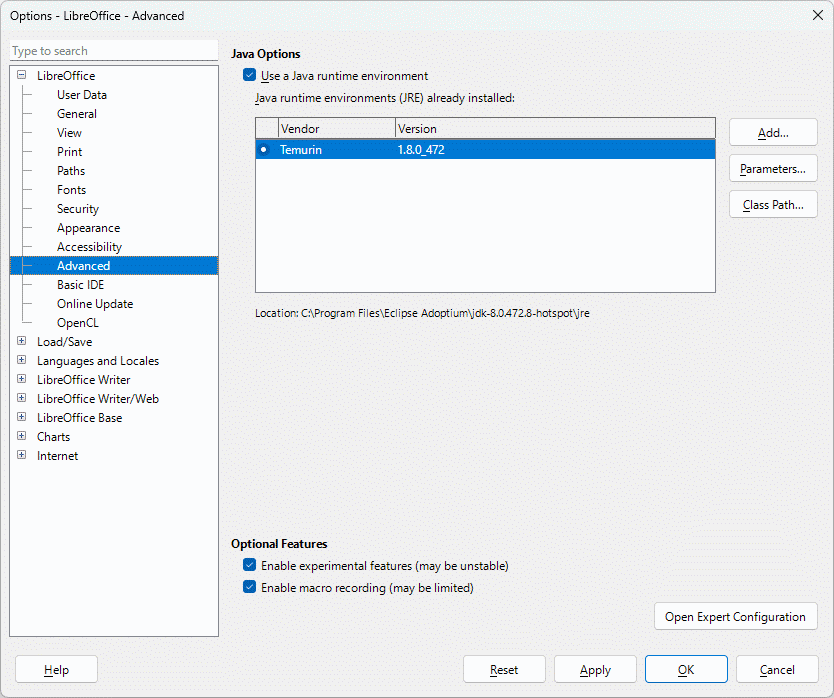
If you don’t use Base (database part of LO) together with internal HSQLDB this might help:
Tools → Options → LibreOffice → Advanced → Java Options: Uncheck "Use a Java Runtime Environment"

…Or you can install a really free Java:

Some Extensions are written in Java, and they only can work if a Java is present. Maybe you have installed such Extensions.

1 Like

I have done as suggested. Two things:
1: The diagnostic message I get is: Could not find platform independent libraries <prefix>
2: Do I lose anything significant (or what do I lose) by unchecking “Java Runtime Environment”?

  • Database feature
  • Java based Extensions

All of others will work.

I have Java installed. (jdk 21), but it is not in my PATH variable. Should I put it there or does LO have an internal path?

If you have a 32 bit LibreOffice, then you need install 32 bit Java even on a 64 bit operating system…