
I’m developing a LibreOffice extension for managing spreadsheet documents, using C++ UNO API. It’s necessary to set some cell annotations in the document. I’ve succeeded to set annotation text, but the annotation author is always “anonymous”. Setting the document author doesn’t help. I found a solution which tells to retrieve XPropertySet interface from the XSheetAnnotation class object and then set the “Author” property, but it fails - the XSheetAnnotation class doesn’t export XPropertySet. Could anybody suggest a working solution?
I think it’s much questionabe if there should be an easy way (LibO-internal) to change an annotation author. Would you like somebody to use your name as the fake author of a grave offense, e.g.?
Why??? I can set the author name of the whole document via the UNO API. My goal is to set the same name in all the cell annotations, in order to avoid the “anonymous” string in them, or, as a last resort, to hide these strings at all. But it seems to be impossible, I can’t guess why.
for reference, that’s your API entry pt : https://opengrok.libreoffice.org/xref/core/sc/source/ui/unoobj/docuno.cxx?r=c0b14ab#5190 where author is just nullptr.
then annotation / versioning = redline :
so …

It’s a pity. Yet another case “security instead of freedom” - and, as a result, neither freedom nor security.
like which one ? 
When I create a comment, the words "unknown author" appears in the comment box. How do I change that to my name, initials, or nickname?
the code is available, so feel free to patch it your way.
I know that solution. But my question was about a way to do it programmatically, via the UNO API. As far as I understand, it’s impossible in the modern version.
At least, I would be satisfied with the opportunity to hide the author, as MS Excel does - but it also seems to be impossible.
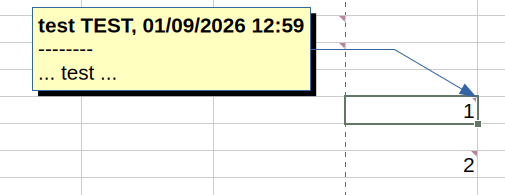
->e.g Don't Save User Data With Document - #7 by DavidMcCracken
sub setUserData
 node = "/org.openoffice.UserProfile/Data"
 prop = "givenname"

 dim pv(0) As New com.sun.star.beans.PropertyValue
 dim serv as object, cfg as object

  pv(0).Name = "nodepath"
  pv(0).Value = node

  serv = GetProcessServiceManager().createInstance("com.sun.star.configuration.ConfigurationProvider")
  cfg = serv.createInstanceWithArguments("com.sun.star.configuration.ConfigurationUpdateAccess", pv )

  cfg.SetPropertyValue(prop, "changed ...")
  cfg.commitchanges()
end sub
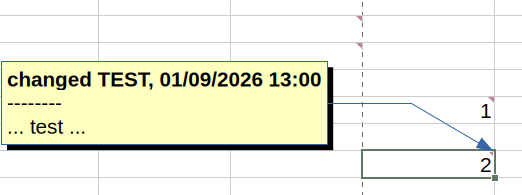
→ 156885 – add toggle to show / hide authorship metadata in popup Calc comments
1 Like