
Automatic Spell Checking Function does not work

I have turned on the Writer Automatic Spell Checking Function with Tools > Automatic Spell Checking, but it does not automatically highlight misspelled words in red.

I have a new, Windows 11 HP desktop computer with the most recent Writer download installed.

I will greatly appreciate any solutions to this issue.
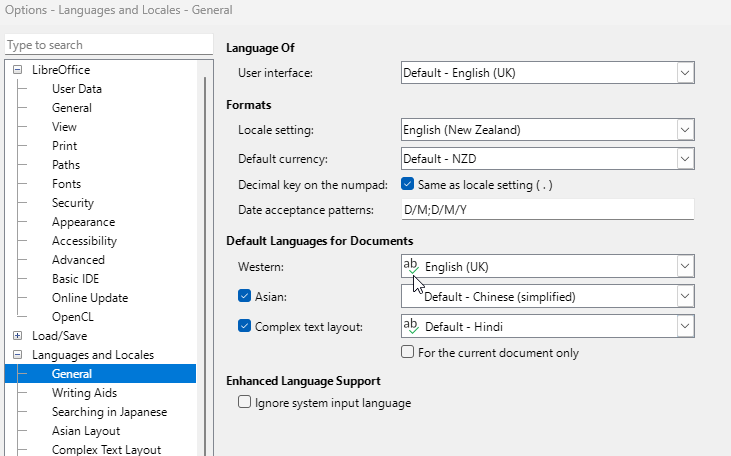
Have you set your default documents to the language you want to use? Click Tools > Options > Languages and Locales > General
Does the language you chose have a green tick to show it has a dictionary installed?

See Frequently asked questions - General - The Document Foundation Wiki

Hi Earnest, in Revo Uninstaller, I did repair on LibreOffice and this has reset this function. Thanks for your help.

I hope you have a great day.