
Calculate Cell reference

As an example I have the following:
=AVERAGE(D2:D4) or =SUM(D2:D4) which is the AVERAGE or SUM of 3 values.
I would like to make the number of cells in those formulas variable.

If I specify somewhere 5 that the formulas become
=AVERAGE(D2:D6) or =SUM(D2:D6) which is the AVERAGE or SUM of 5 values.

Is there a way to calculate that cell reference ?
SUM(INDEX(range;x)) or SUM(OFFSET(D2;0;0;x-1).

If the range to be summed is growing, you should insert cells before adding new values. This will adjust all formulas referencing the expanded range.
AVERAGE(D2:D6) becomes AVERAGE(D2:D7). This automatic adjustment will happen in formulas, charts, range names, conditional formattings all over the same document.
Likewise, you should delete cells rather than clearing contents.

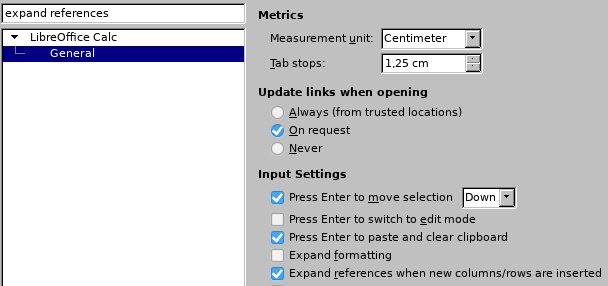
Before testing this, make sure that “Expand references…” is ON.
expand_references

Hallo

=SUM(D2:INDEX(D2:D1000; somewhere))