
Disable 'unwanted' word font color automatic change

i understand that some words might be sensitive but.
“DRUG”, “DEATH”, KILL, to be always in a different font color seems stupid specially given that drugstore(drug store) , kill(like in kill task) and such, or just leave it as such
how do i disable it entirely? or where do i edit it?
it happened in calc
the automatic font color is black, i was using a dark blue color cell background, but every time i wrote kill, death or such, it immediately changed to white, it might be insignificant but im fully against censorship and making a big deal for certain words is always the first step in such practices.
note: i checked and it actually does not happen in all documents, but it remains in this one, it is a reduced version.

edit. apparently it has to do is with the language but some words didnt change…only some that were edgier…but now it seems to do? i didnt make enough tests and saves to check it happened across several documents, but even then it still happens in a way that doesnt make sense even if it is tied only to the language settings, specially since it seems to happen mostly when the words get the red underline for spelling.
yes is just a digimon evolution chart and an EDGY name for the character
My Digimon.ods (12.5 KB)
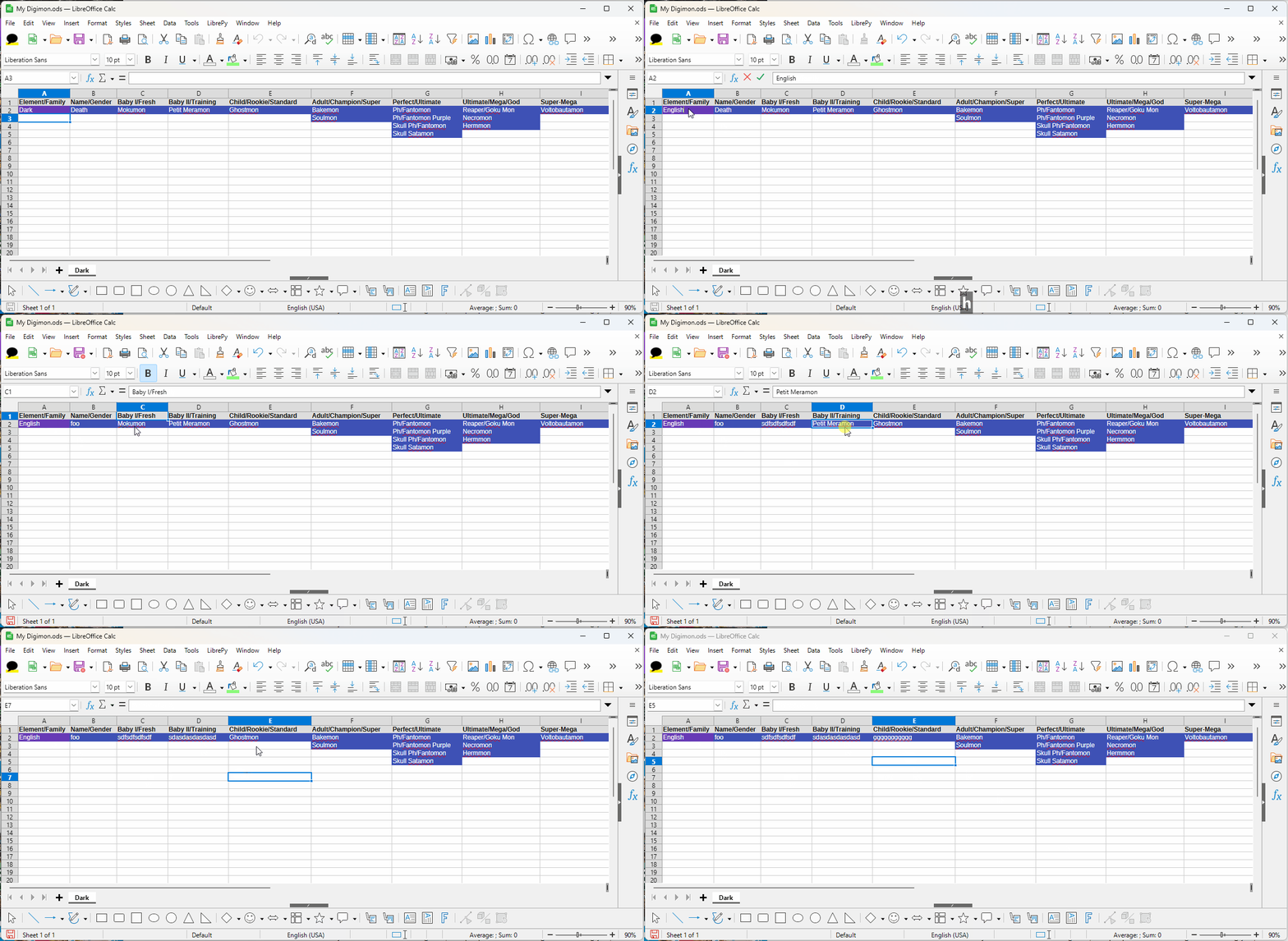
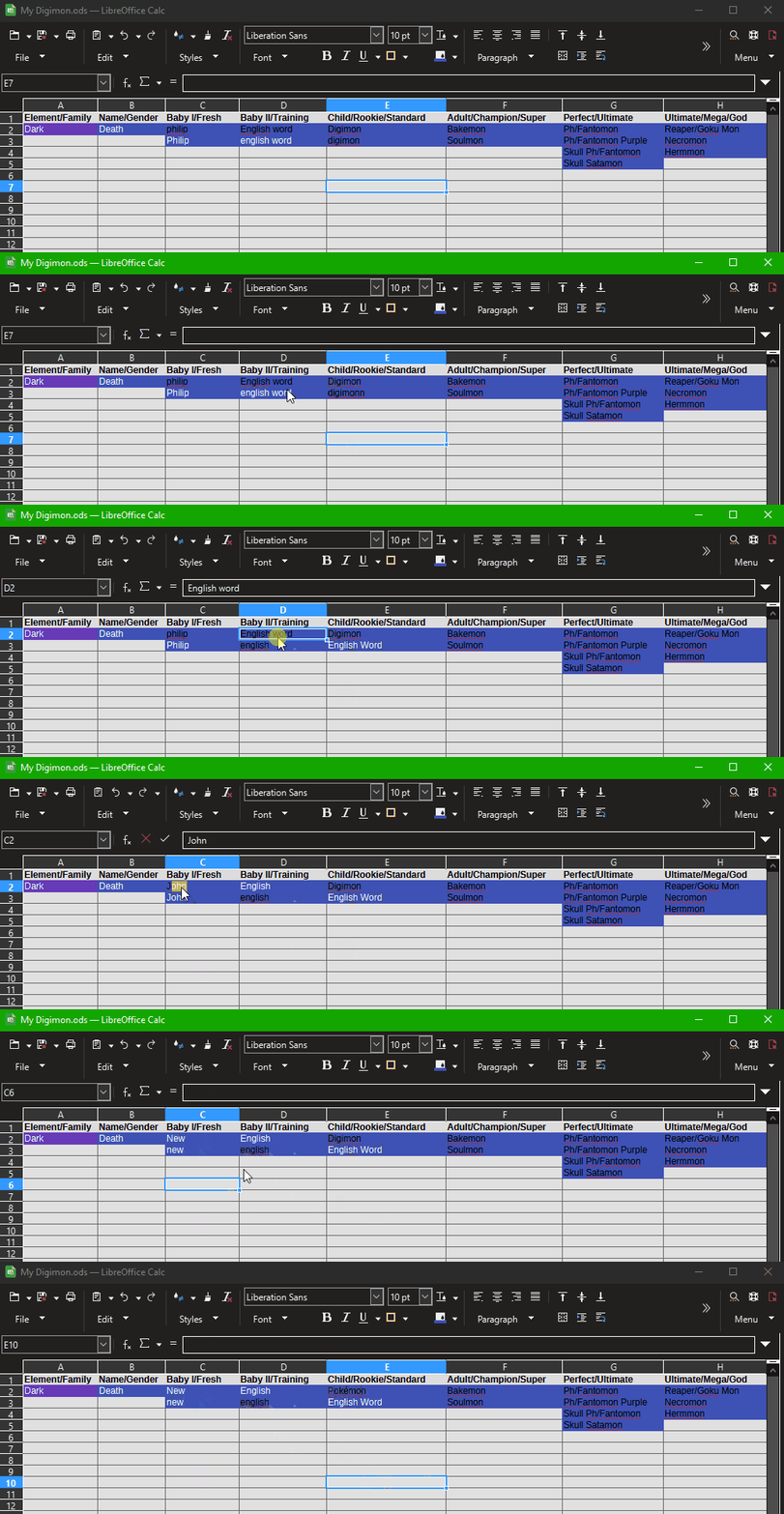
If the background of the cell is dark enough then automatic font colour will switch to white to make it more visible.

If you want to force black font colour, then set the font colour to black. You can modify the font colour for the style of the cell. If you aren’t using cell styles then you need to edit Default cell style

1 Like

not quite for all the nearby cells are the same color and remain black and only change if i input a “supposedly” sensitive word.
if i write anything else, it returns to the proper BLACK
i tested it several times.
i changed from death to something else, immediately became black, changed somewhere i had something else and the font was black and when i put, drugs, and immediately changed to white.
tested other random words and it only happens with the common ones considered SENSITIVE.
go on, try it yourself.

@felipescado, which version of LibreOffice and operating system are you using?

windows 10 22H2
25.2.7.2 (x86_64)

Can you share a reduced sample file to test? You can edit your question to add it there. Thanks.
When did this start happening? Were there any app updates?

now i find it only happens in some cases without a reason, sometimes when i change the text regardless if sensitive or not, or if it is in that specific cell or not…
now i dont know for sure, multiple text, or unknown words, are the correct black font, …it isnt too consistent either…
if i write in another language that isnt being corrected, it also remains in…black…so might be it is only changing the color for “english” language?, but as i said some tests had normal words be the supposed automatic color, well i might have exagerated the reasoning for why they were being changed into a white font, but it is still NOT behaving as it should, wasnt that the reason for the red underline when the word isnt in the main language? still makes no sense.

there was one specific update though…the original document existed since before the dark mode could be used, dont know if that has anything to do and one still wonders why would it make it change depending on LANGUAGE and sometimes CERTAIN WORDS(i might have not tried all options good or bad i just tested a set of words here and there, ok?)

yeah i might be just an idiot that doesnt test every variable possible and came into a very specific biased conclusion out of nowhere…
but i still dont know why it is happening the way it is… nor how to fix it