Excel to PDF conversion on Linux splits into multiple pages

Hi,

I’m converting an Excel file to PDF using the command line.
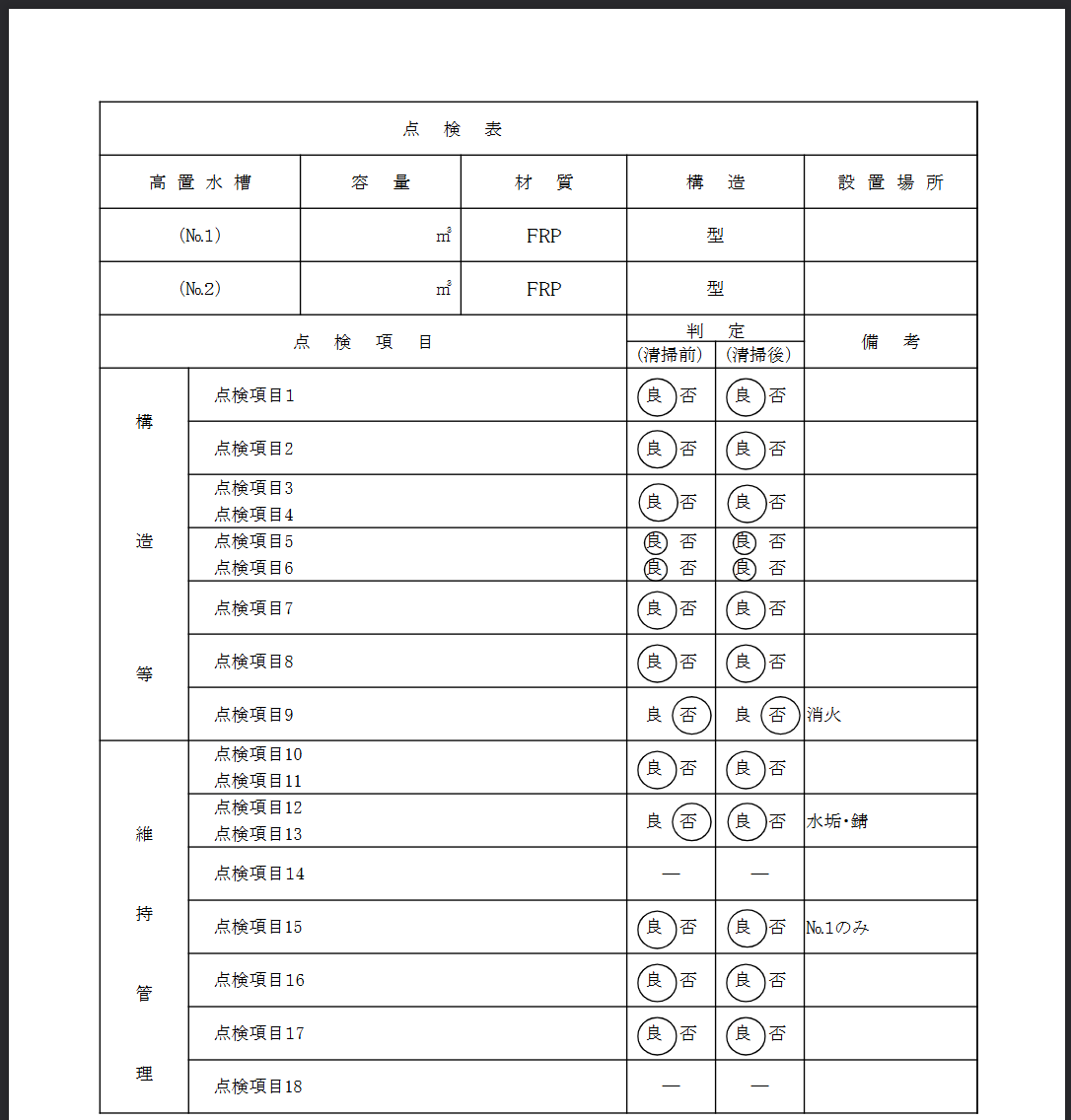
On Windows, the conversion works correctly with the following command:

“C:\Program Files\LibreOffice\program\soffice.exe” --headless --convert-to pdf --outdir ./ ./test.xlsx

(see image)
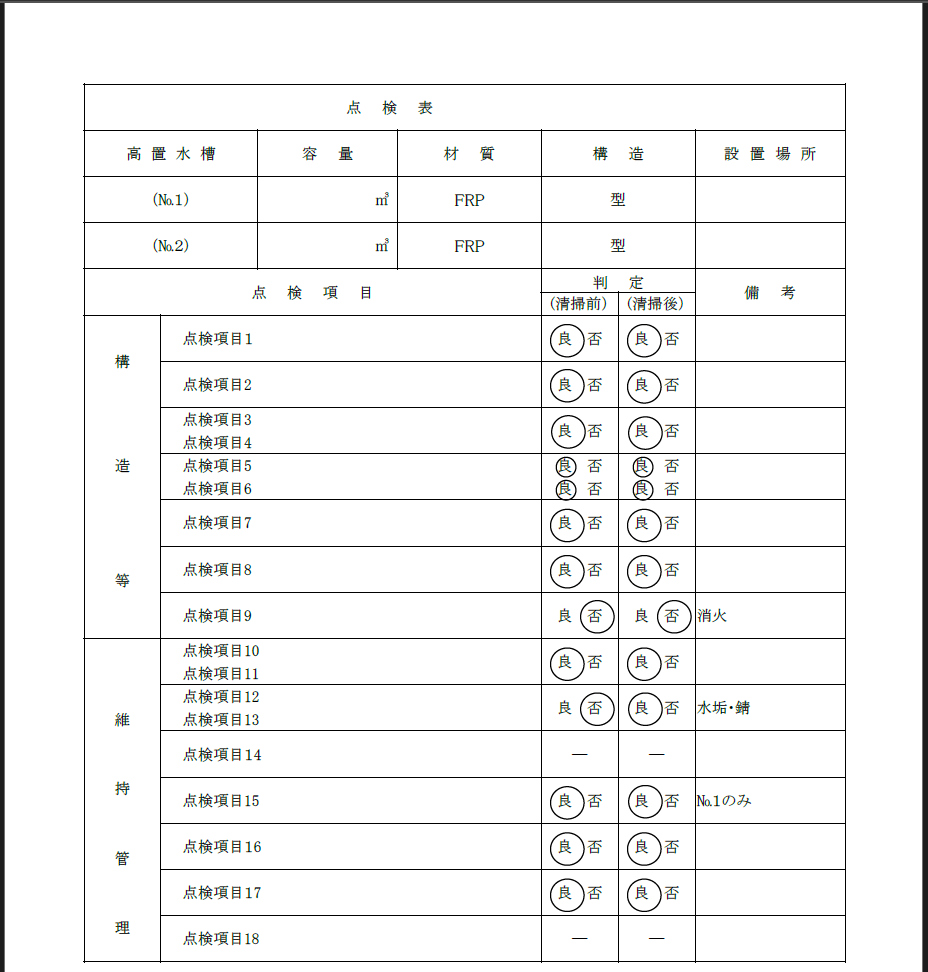
However, on Linux, when I run this command:

/usr/bin/soffice --headless --convert-to pdf --outdir ./ ./test.xlsx

the right side of the page gets cut off, and the output is split across multiple pages.
(see image)
Do you know what might be causing this?
Is there a way to make the Linux version produce the same PDF result as on Windows?

===========

■Additional information
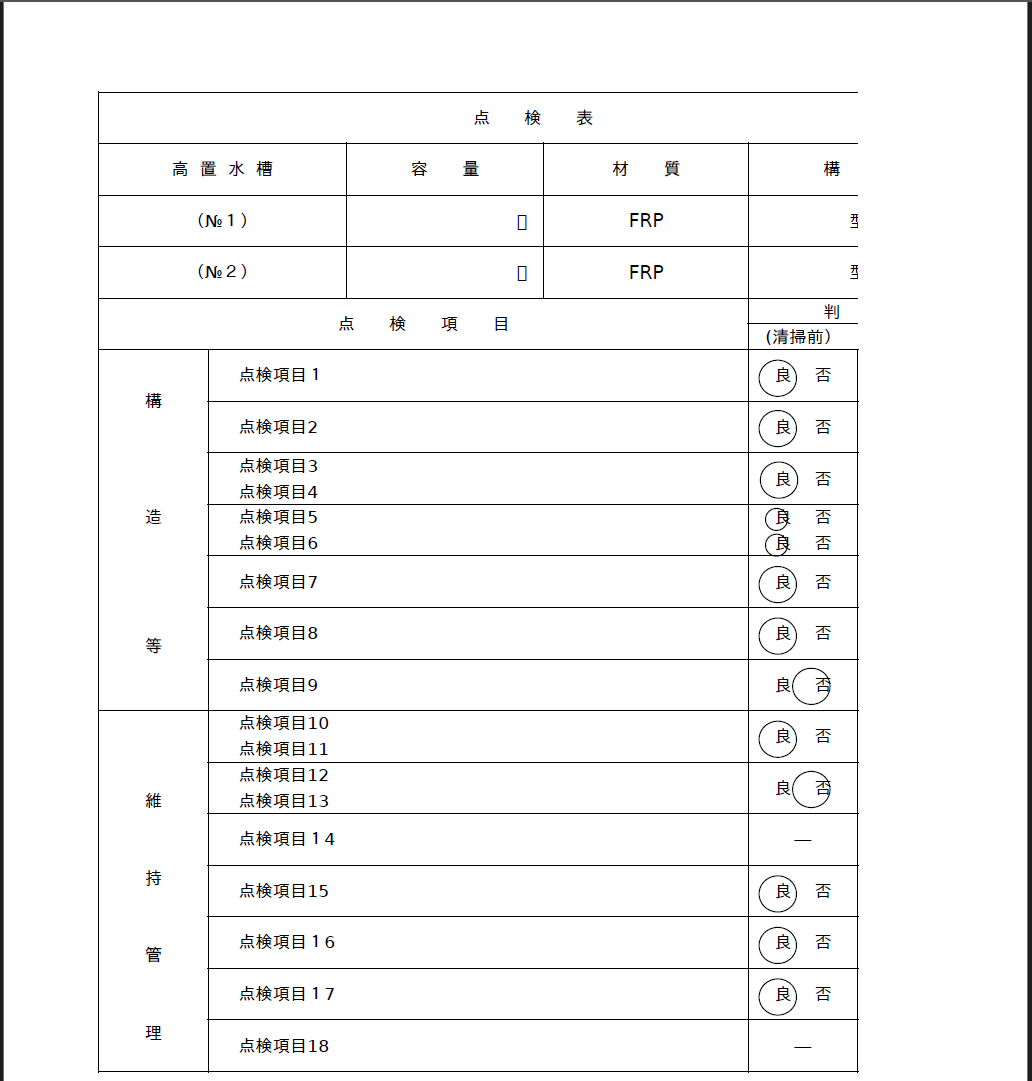
I installed the following two fonts and tested again:

apt-get install -y fonts-ipafont-gothic
apt-get install -y fonts-noto

However, the right side of the page still gets cut off.
(see image)
===========

I’ve attached the file with the issue.
test.xlsx (34.3 KB)

  1. What is the lone ./ in the command line? If you think that this way you define the output directory, you are mistaken - you forgot --outdir.
  2. Likely, the problem is missing fonts. In Excel (and its file formats), the width of cells is defined in terms of “default font number character width”, which naturally depends on the font metrics. If you have no proper font, and a substitution gives a font with different metrics, then you will most likely have problems similar to what you describe.

Thank you for your reply.
I installed fonts-ipafont-gothic and fonts-noto and tested again, but the right side of the page is still cut off.
I’ve added this information to my post.

  1. It is obvious that the result changed - which confirms the theory that it’s about missing fonts.
  2. But it’s completely unknown which font is needed there. The difference doesn’t mean that you installed the needed font - just that the used font is now different, which may be just because substitution picks one of the newly installed fonts. You said you installed some fonts, but didn’t even explain why you picked those, neither added a sample XLSX :slight_smile:

The fonts I installed don’t have any particular meaning — I just chose them to prevent the “㎥” character from being garbled.
I’ve attached the Excel file that has the issue.

What I open the file, I see that the font defined for the Default cell style is “MS 明朝”. I don’t know which is that, but hopefully it makes sense for you, and helps installing the correct needed font?

2 Likes

Thank you so much!
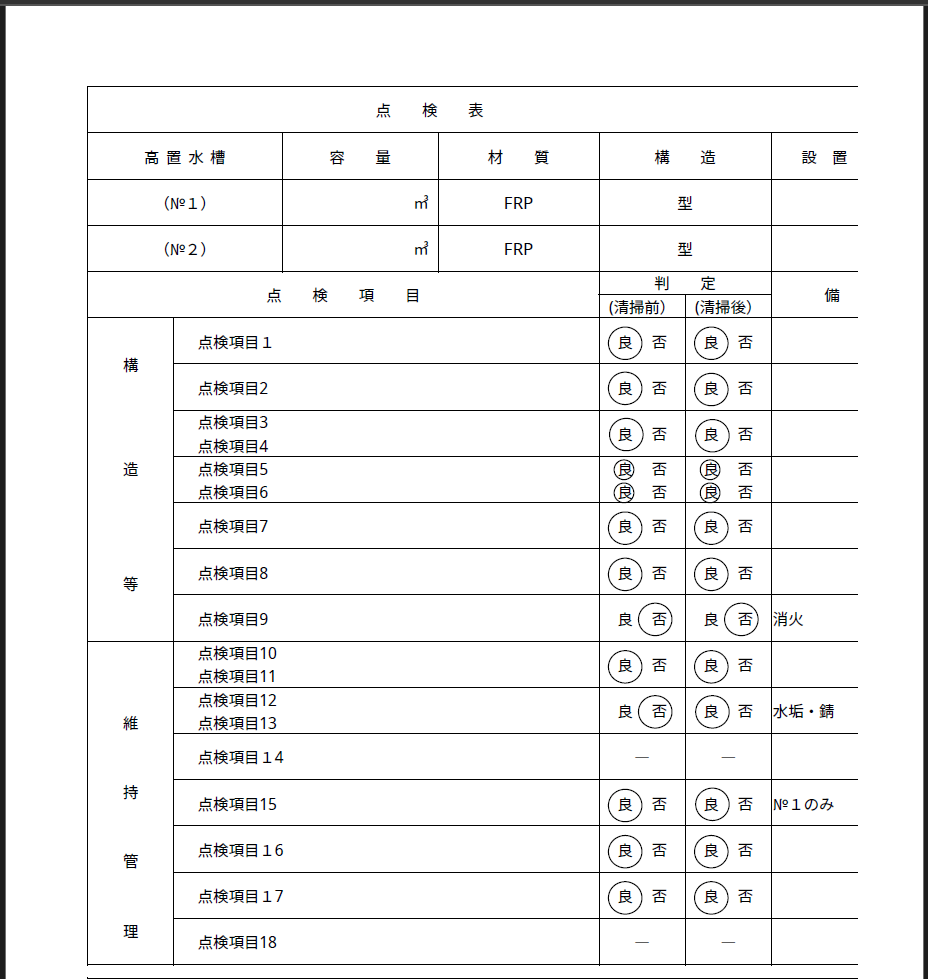
After copying msmincho.ttc and msgothic.ttc from Windows and installing them, the issue was resolved.

# mkdir -p /usr/share/fonts/truetype/msttcorefonts
# cp msmincho.ttc msgothic.ttc /usr/share/fonts/truetype/msttcorefonts/
# fc-cache -fv
# fc-list | grep -i "ms"
/usr/share/fonts/truetype/msttcorefonts/msgothic.ttc: MS UI Gothic:style=標準,Regular
/usr/share/fonts/truetype/msttcorefonts/msgothic.ttc: MS Pゴシック,MS PGothic:style=標準,Regular
/usr/share/fonts/truetype/msttcorefonts/msmincho.ttc: MS 明朝,MS Mincho:style=標準,Regular
/usr/share/fonts/truetype/msttcorefonts/msmincho.ttc: MS P明朝,MS PMincho:style=標準,Regular
/usr/share/fonts/truetype/msttcorefonts/msgothic.ttc: MS ゴシック,MS Gothic:style=標準,Regular

Here are the results: