
As above, How do I stop cells from reverting to default font when contents with my formatting are dragged away? I show two pics Here:
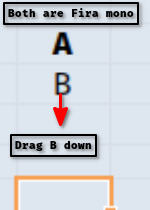
This one shows I drag contents away
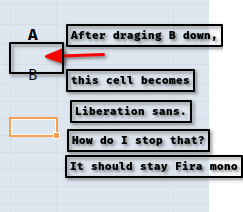
This one calc changes font back to Liberation Sans, from Fira mono. I want my sheet to hold Fira mono font at all times.
In that case, on the Sidebar, right click Default Cell, select Modify and set the font to Fira Mono. OK
.
If you always want to use that font then open a new Calc document, set Default Cell to Fira Mono, OK. Then click *File - Templates - Save as template. In the dialogue give your template a name, e.g. My Default. Select My templates and tick the box Set as default.
To stop it being the default template, click File - Templates - Manage templates, right click My Default (it will have a green tick) and select Reset default. Close.
Note that dragging a cell is moving a cell, same as cut and paste. If you want to leave the formatting of the originating cell then Copy and Paste them delete the contents of the original cell