
I have an important document and I am marking it up so I can reference it in the future when talking to someone. I want to put a red box around a section of text. The text could be 1 or more paragraphs, a list or combination. The thing is, I want it to stand out. What is the best way? In the past I have used text box, frame, rectangular and anchored it as character, changed the area and line, etc. Some times I end up deleting it because I can not get it to move to where I want it. Any suggestions? Thank you.
A text box is probably the worst idea.
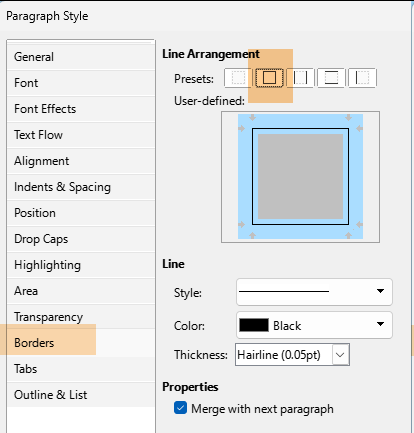
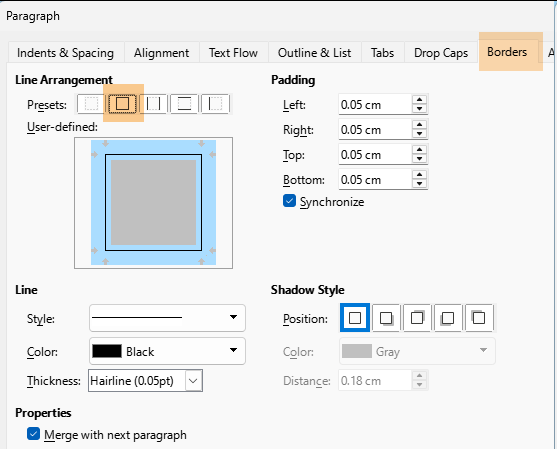
If you save your document as .odt (not .doc(x)) and you consistently style your document without direct formatting, the solution is easy: every paragraph style can be decorated with a border of your choosing (thickness, colour, distance). You only have to create a dedicated style you apply to a paragraph.
When the group of paragraphs to be so decorated has the same style applied, no special precaution is needed. The style will create a common border around the group (as opposed to individual borders) if you request border merging in the configuration.
Merging the border of distinct consecutive styles is a bit more tricky, but not that much. You must be careful on the definition of indents which must exactly match. In case you have a list (bullet or numbered), I recommend to associate the list style with the paragraph style instead of manually applying the list style. Merging can then be finely and more easily controlled.
You have not provided important information in your question: OS name, exact LO version and save format. Success is also conditioned to systematic and consistent use of styles.
Version: 25.8.3.2 (X86_64) / LibreOffice Community
Build ID: 580(Build:2)
CPU threads: 8; OS: Linux 6.1; UI render: default; VCL: gtk3
Locale: en-US (en_US.utf8); UI: en-US
25.8.3-3
Calc: threaded
The document is throw-away, so direct formatting isn’t as important. It is a little from scientific journals and a little from duckduckgo AI and I pieced it together with other information and I am annotating it so I can refer to it when speaking to professionals. I just want to quickly put a box around something. That something could be one or more paragraphs, lists, etc. Lacking a better way, I think the easiest is to use the line drawing tool.
1 Like