
How do I reverse the writing direction of the sheet so that column A starts on the right?
You must choose in Locale setting, a language that writes from right to left (i.e., Hebrew).
Sorry for the screenshot in Spanish.
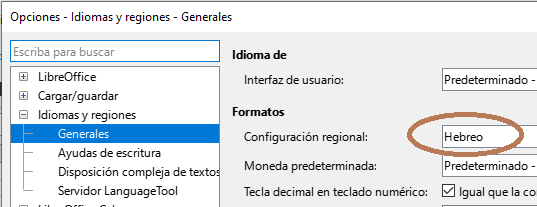
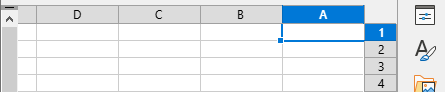
Maybe you must restar LibreOffice to see the change applied.
2 Likes
If you want to change the direction of a single sheet, right-click on the sheet tab and chose “Sheet Right-To-Left” item.
2 Likes