
How to show all very long content of cell when actual value is a formula?

Could it be temporarily, but very important, not for the whole sheet.

What I want to achieve is to show the content of a cell, which is a very long text, but is the actual result of a formula. So in Formula bar I have the formula, shown as content. The width of this column is narrow enough to show at once other multiple needed columns in my Calc sheet. I need all those columns at once, but the one with long text could be shown temporarily.
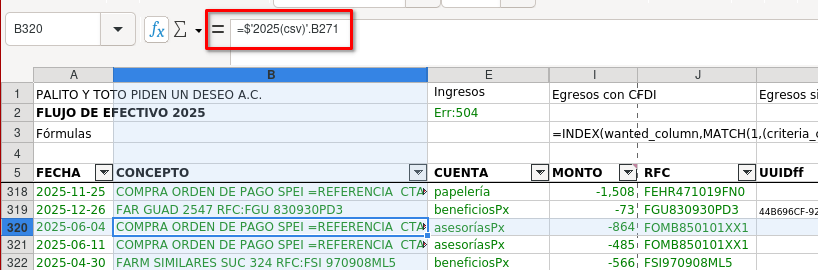
Is there some shortcut, command or button to help with that?

For temporarily I know no direct solution - may need a macro.
.
A bit more permanent: You could allow word-wrap in formatting of the column and then set the row-height to optimal. This will show the full text but will need more vertical state.

1 Like

OK, vertical space is not a practical solution in case, unfortunately. I need to compare two sheets, and my eyes must run from one sheet to another, and some kind of vertical alignment is a must. But I will try a macro.

And definitely, I will put a feature request.

Thanks for the swift response, @Wanderer !

Hi, @LobaLuna, esta macro mostra em MsgBox, o texto da célula ativa. Pode incluir o acionamento em um Menu ou em Atalho de teclado.


Hi @LobaLuna, this macro displays the text of the active cell in a MsgBox. It can be triggered via a menu or keyboard shortcut.

Sub SeeText
	oString = ThisComponent.getCurrentSelection().getString()
	msgbox oString, 0, "Text"
End Sub 
4 Likes

Thanks a lot, @schiavinatto !!!

Excellent solution. I’ll put it right away in my sheet! Works perfectly as needed.

1 Like

(I reworded my comment for clarity.)
Not a solution when the need is

Again: This will not allow you to compare two sheets nor two cells in the same sheet.
The result of a formula in a cell can be seen with F2, F9.
Use Esc to leave the formula unchanged.

1 Like

The comparison between sheets is based on columns wide enough to see the content in one sheet, but the super wide column must be kept narrow for other purpose. The thing is that column provides details to complete the comparison with the second sheet.

Maybe my English is not adequate to express my idea. Fortunately, the solution provided by Gilberto @schiavinatto was exactly what I needed.

F2 and F9 are not helpful to my situation.

1 Like