UPDATE "AnchorageUsage" a
SET a.DURATION =
(SELECT DATEDIFF(day, b.ARRIVALDATE, b.DEPARTDATE)
FROM "AnchorageUsage" b
WHERE a.ID = b.ID)
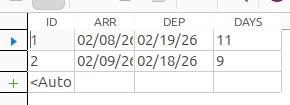
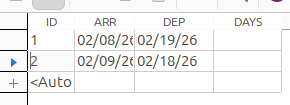

UPDATE "AnchorageUsage" a
SET a.DURATION =
(SELECT DATEDIFF(day, b.ARRIVALDATE, b.DEPARTDATE)
FROM "AnchorageUsage" b
WHERE a.ID = b.ID)
Thx Carlos. This solution looks nice and simple. I’ll give it a try.
Take notice that if you are using the embedded HSQL database, I think identifiers must be put between " "
“a”.“DURATION” […]
Also check the exact sintaxe. This example is with Firebird.
Yes, I am using the embedded HSQL.
The only syntax required was single quotes around day.
Thx again, it works great!!!
@BCJOHN70,
although the accepted solution will work both the correlated subquery and WHERE clause are unnecessary.
all referenced fields reside in the same table therefore newbies please note that all you need to update the entire table is:
UPDATE "AnchorageUsage"
SET "DURATION" = DATEDIFF('day', "ARRIVALDATE","DEPARTDATE")
storing calculated values is usually considered a violation of normalisation.
Wow! Always (of course!) learning here: didn’t know this!
By the way: after some issues, I have built an alternative form where the difference is inserted after updating the Departure Date column.
APPARENTLY, that works 
Another option to automate this would be the use of TRIGGER in the database itself: Following link shows an example of storing a timestamp on updates:
Of course. But user uses HSQL embedded and I don’t know if it have triggers 
I never use that engine.
It was an exercise about
thanks everyone for your assistance. I’ve learned multiple ways of doing things.
Has anybody used triggers? I have tried and keep getting syntax errors.
CREATE TRIGGER CALC_DURATION
AFTER UPDATE ON “AnchorageUsage”
FOR EACH ROW
BEGIN
SET “DURATION” = DATEDIFF(‘dd’,:ARRIVALDATE".“DEPARTDATE”)
END
OR
CREATE TRIGGER CALC_DURATION
AFTER UPDATE ON “AnchorageUsage”
REFERENCING NEW ROW AS bob FOR EACH ROW
BEGIN ATOMIC
SET “DURATION” = DATEDIFF(‘dd’,“ARRIVALDATE”,“DEPARTDATE”)
END
: " is an obvious problem in syntax
This works on Firebird.
It presupposes arrival date being inserted when ship docks.
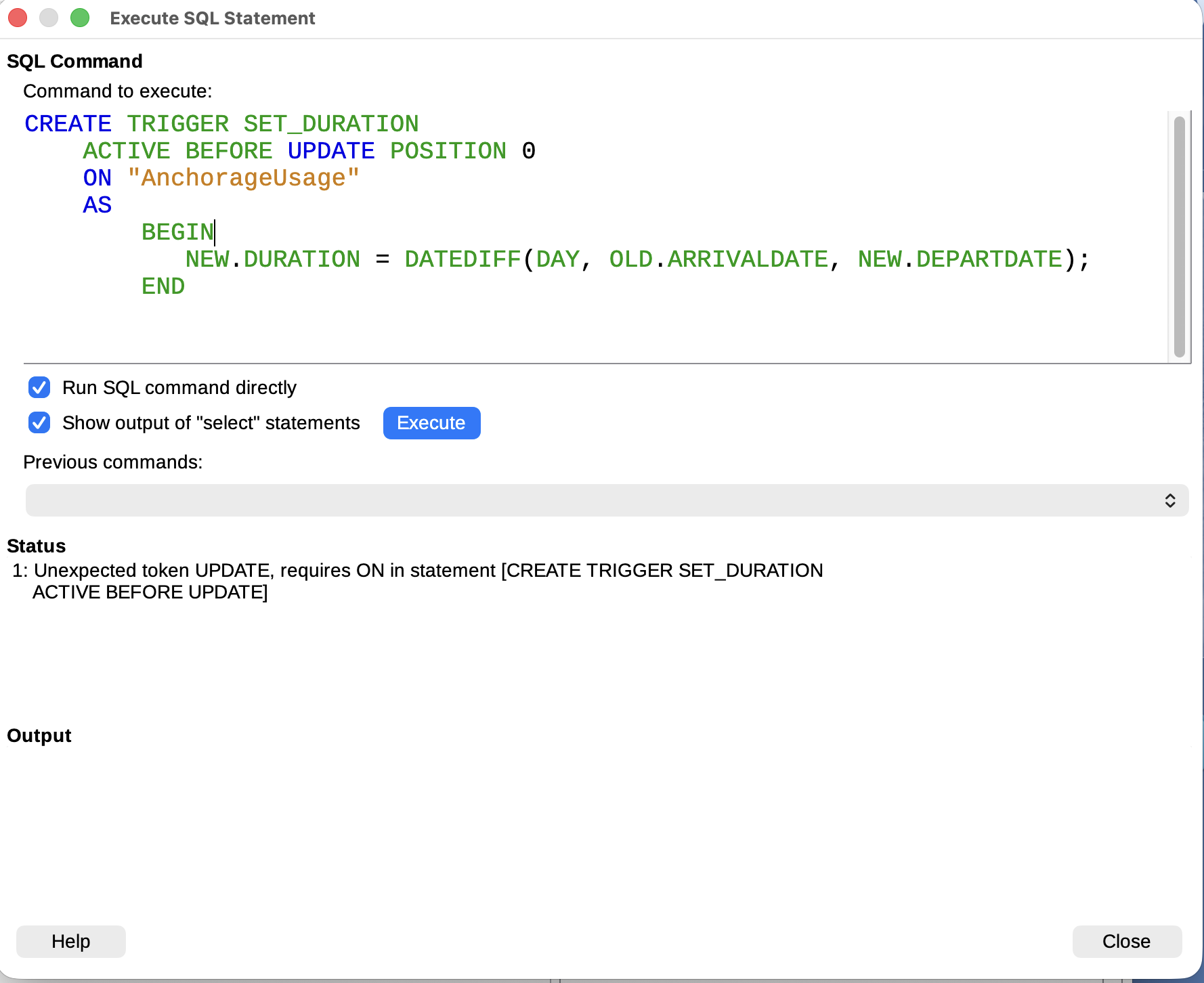
CREATE TRIGGER SET_DURATION
    ACTIVE BEFORE UPDATE POSITION 0
    ON "AnchorageUsage"
    AS
        BEGIN
           NEW.DURATION = DATEDIFF(DAY, OLD.ARRIVALDATE, NEW.DEPARTDATE);
ENDhi. what i uploaded was a re-type of the tools > sql window which included a couple of typos
for some reason I cannot cut or paste out of the tools > sql box. after i select text, then click copy it ignores the selection
@BCJOHN70,
you cannot use a trigger with an embedded HSQL database, use a split version and upgrade to HSQL 2.x at the same time.
.
assuming you use the default HSQL 1.8.10 and input your data via a form, a small macro may suffice.
here is a sample, the macro is fired by both “ARRIVALDATE” and “DEPARTDATE” on after update.
Ddiff.odb (13.7 KB)
just a reminder, you should not be storing calculated values!
thx cpb. I have a macro already, but thought the trigger would be a better idea. Foolproof when i forget to run macro. I’ll look into the split version option. thx again.
so I’ve wasted my time, why was this info and the macro code not posted?
you cannot be serious!
The macro and sql options were posted earlier in the thread.
Apologies for your time.