
as above, I have a lengthy document and somehow have changed the layout so that I have, for instance pages 2 and 3 side by side on the screen, but I only want 1 page onscreen at a time
I came here with the same problem.
Thank you.
Hello,
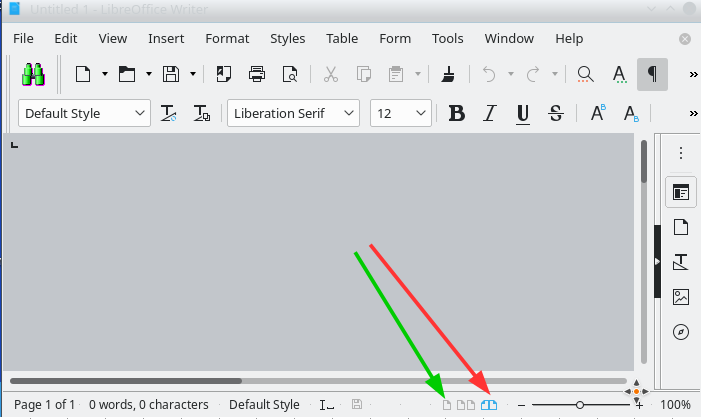
most probably you clicked Book view or Multi-page view - Return to Single page view following the green arrow and click on the single-page icon.
Note: If you don’t see the icons, check View -> [x] Status Bar checked.
Hope that helps!
If the answer is correct or helped you to solve your problem, please click the check mark ( ) next to the answer.
That did the trick, many thanks! I tried to click the check mark, but I’m not a moderator (??).