Hello, I just decided to give Libre Office another try this year.
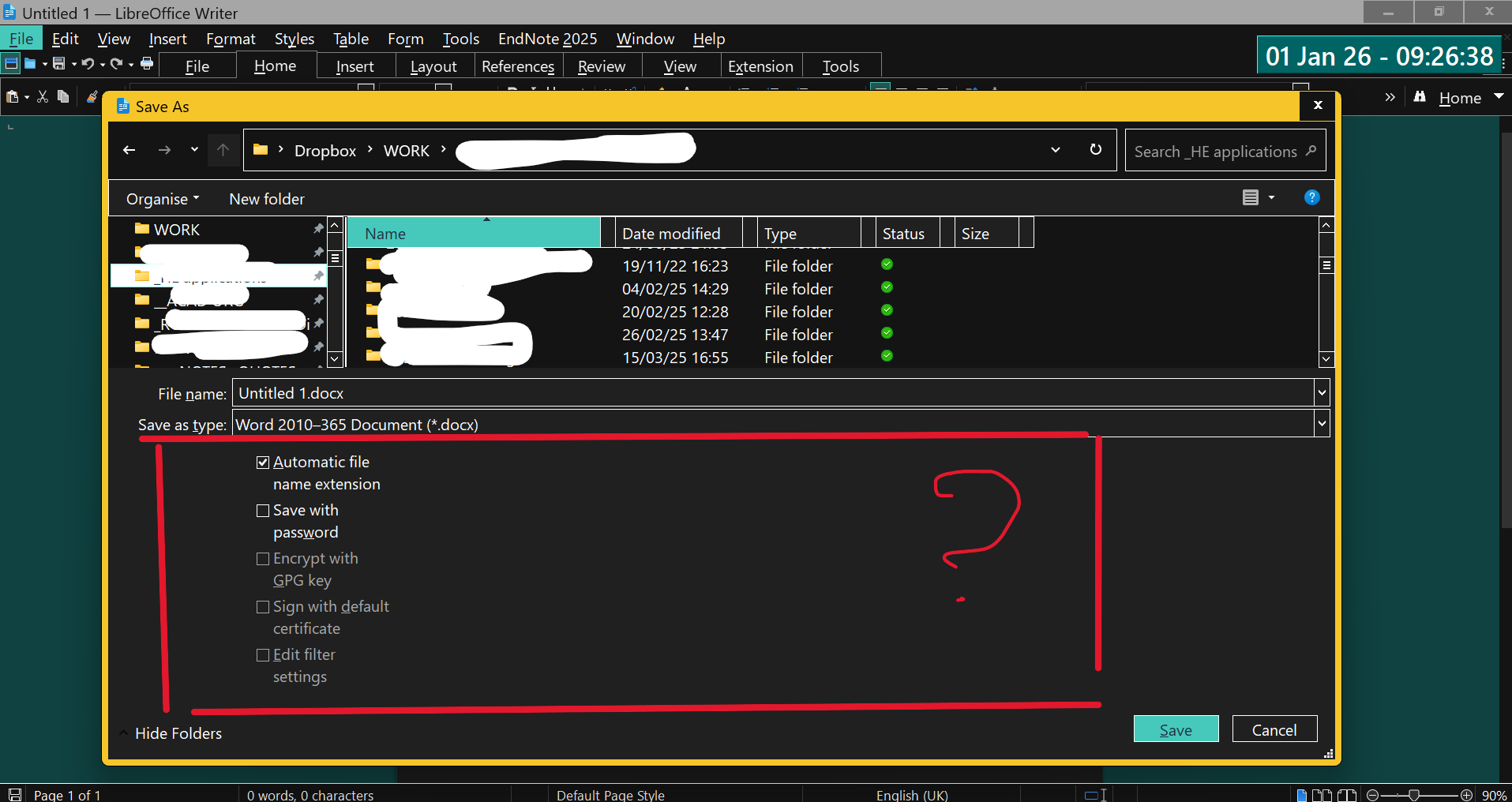
The first issue I encounter is that the ‘save as’ box is disproportioned - the bottom part is too large, see the image below - and it becomes really difficult to navigate anything as I can’t find folders. There’s probably something I can do about this, but I’m not sure what.
- I just upgraded to Win11
- I do not have this issue with Word in MS Office (I can select an option there to reduce the bottom part of the ‘save as’ box).
- I run LO 25.2.7.2 (x86)
Btw, the ‘hide folders’ options would hide the folders at the top left, not the section in/of the red box.
If anyone has suggestions, I would appreciate that!
Cheers, G