
LibreOffice manual update fails.
Using version 26.2.0.3, windows 11. No blocking on the router.
Error reading data from the Internet.
Server error message:
GET
=>
HTTP/1.1 403 Forbidden.
Sorry, I use Windows 11 Home 25H2. Asus router, use Adblocker DNS (no blocks during the time I tried updating.), no other connectivity problems. Using Libre office 26.2.0.3, just updated manually from 26.2.0.0. Same problem with both.
Any other info I can provide?
Windows Defender AV, nothing else.
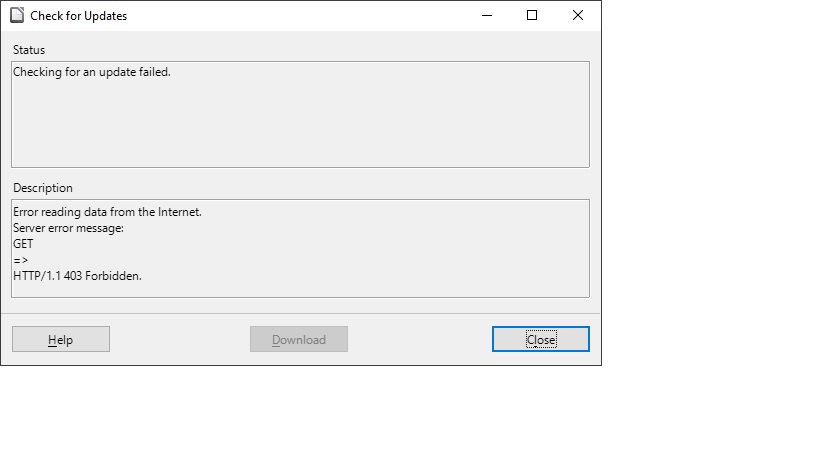
Windows 11 Home 25H2 :
I get the said message in: 26.2.0.3 and latest master build (26.8.0.0.alpha0+).
Same here.
Latest version of Windows 11 with latest updates.
Vodafone router
Norton 360. I disabled the Smart Firewall and Auto Protect without any solution
Ran Libre-office as an administrator. No good
Successfully reinstalled LO from the website version 26.2.0.3 (X86_63)
A problem already known.
Both bug reports are for files set read-only on samba shares. I don’t see the connection to the “http 403” for update checks.
Sorry, my mistake.
Hi, I have the same error in a German version:

Windows 10 Home 22H2 OS-Build 19045.6937
What version of LO are you using? Use Help | About and click the icon to copy info to clipboard.
At this time the latest available one:
Version: 26.2.0.3 (X86_64)
Build ID: 620(Build:3)
CPU threads: 8; OS: Windows 10 X86_64 (build 19045); UI render: Skia/Raster; VCL: win
Locale: de-DE (de_DE); UI: de-DE
Calc: CL threaded
I have the same problem on 2 machines (a tower and a laptop), both with Windows 10 X86_64 (build 19045). In the former used LibreOffice version 25.8.4 all works fine.