
Looking for a specific "Autoformat" style for CALC

Hello,

I’m looking for an Autoformat style for a spreadsheet that “as I remember” looks like an embossed style for the rows. Kind of a 3D-style format.
Does anyone know how to format the sheet in that way?
Is there somewhere a style I could download?
Any help is much appreciated.
In Calc there are cell styles, drawing styles, and (non-hierarchical) page styles.
There are no sheet styles.
You can create a formatted sheet to be used as a template for other sheets.
What you tried to describe may (to a very limited degree) approxiomately be possible by conditional formatting. Often used are conditional formats based on formulas testing the row number. This way you can get something similar to listing paper, e.g.

It would a nice-to-have feature if it would be a build-in style/format.
But I wouldn’t spend much time to create it manually, step-by-step.
Anyway, thanks for replying.

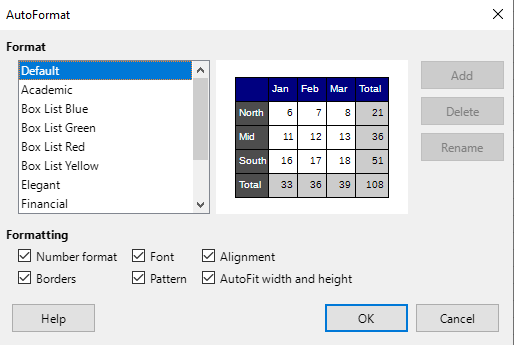
You can select a range of cells no smaller than 3x3, then Menu / Format / AutoFormat styles.

2026-03-09 194521

Thanks for your reply.
However, that is **not** the kind of format I’m looking for and as I have tried to describe.
I checked the build-in formats before posting.

No, 3D-style borders are not possible in Calc. Such borders exists only for Writer tables.