
I’ve created a one page base report that I have successfully used for a year. Recently, I decided to adjust the margins slightly. Now, when I print I get numerous copies of the same report. I reset the margins to the original settings and the problem still persists. How do I limit the report to only one page? I have had numerous problems with the report function crashing - it seems unstable. Is this another problem with report?
Report engine had been very unstable for a long time. Thought it has become more stable when creating reports in LO 25.8.3.2 last weeks. But: I would save very often report and database document.
Seems you are creating reports for Writer, not for Calc. When changing the margins of the page the GUI won’t notice this directly. Change the margins. Save it, close the report editor and reopen it for other editing.
Don’t know how you limited the data for only one page. Would be good to see an example here.
Robert
It is repeating the same page multiple times. It is a one page report. See attached.
Thanks,
Erik
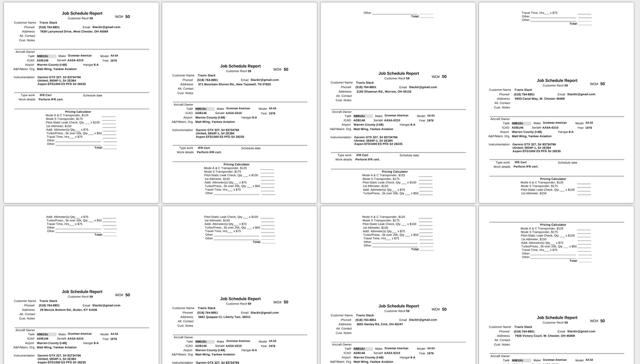
Never see such a behavior of reports - and tested a lot with reports…
Using LibreOffice
Version: 25.8.3.2 (X86_64)
Build ID: 8ca8d55c161d602844f5428fa4b58097424e324e
CPU threads: 6; OS: Linux 6.4; UI render: default; VCL: kf5 (cairo+xcb)
Locale: de-DE (de_DE.UTF-8); UI: de-DE
Calc: threaded
Which version do you use?
Robert,
Is there a way I can copy my report text and fields to a new report.
The current one seems corrupted.
Thanks,
Erik
Hi Erik,
copying anything in the report is very unstable. I would create a new report or copy a complete report from an older version of the DB.
Robert
Robert,
Great advice.
Is there a trick to copying and pasting text and fields from an existing report to a new/blank report?
Thanks,
Erik
Same as the comment before: It will be very unstable. I won’t try it.