
when I put smaller paper in the printer 5.25"x8.25", my ubuntu computer prints it properly as long as the text is set properly. libreoffice on my mac, the printer acts like the paper is on a reel, and every page is imbalanced differently. I am trying to format for printing of poetry books. Mac will print both sides, Ubuntu will not, so I want to get the mac working. Thank you
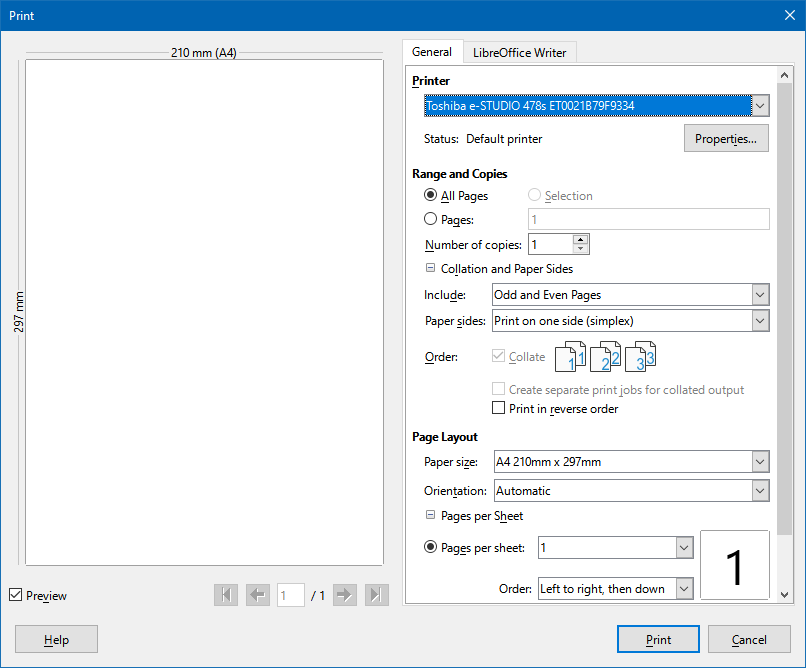
Can you share a screenshot of the Print dialog?
Look at sizes in the preview, and the Paper size value. Also look for the paper size in the printer properties (button).
1 Like
I have changed the setting to the size of the paper, but the printer simply replies that it isn’t the size noted, when it is. The print comes out the same, properly aligned on the first page, and messed up every page thereafter. There must have been a change to libre the last six months because prior to that it printed as it looks on the page.
This service is saying a screenshot of 2.6MB is larger than 4MB so it will not let me paste it.
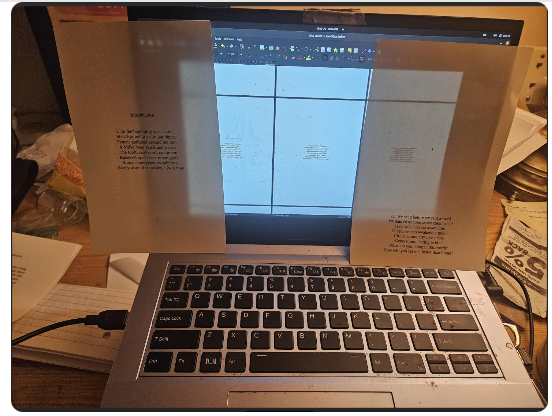
so I took a screenshot of the screenshot, lol
Printing on my Ubuntu, the first page is properly set, the next page the text shows up at the bottom of the page. On the Mac, it puts the text at the top of the page on the first page, and the bottom of the page on the second. I found this, and the paper is mentioned on the computer, but then I get a notice on the HP printer that the paper is not that size, when it is.
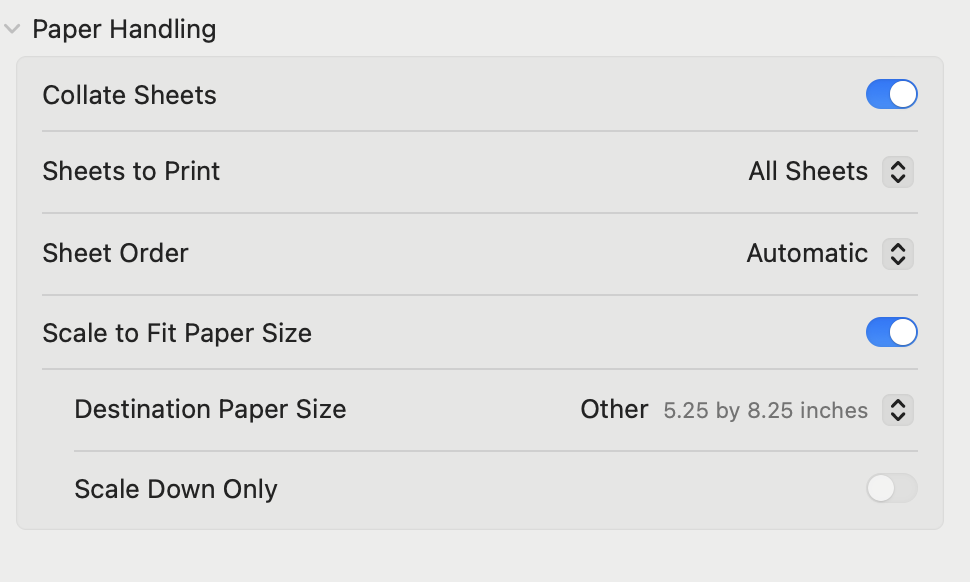
Nothing changes if I click the scale to fit or not.
it prints fine on standard 8x11. It will not scale down properly.
Scaling the formatting down to 5.25x8.25, it still will not print it like it is on the screen. It was working fine a few months ago without having to do any special formatting. I made some commitments to have some books ready for people. I guess I should have confirmed it still worked, before I made those commitments, but it never occurred to me that is would simply not work anymore.
formatting the page to 5.5x8.5, and setting that in the printer page, the HP printer still does not recognize the size, and it still will not print as it appears on the screen. I have tried every conceivable option. It simply appears that there is no longer a way to scale down the page wordprocessing on libreoffice and have it print correctly.
You could downgrade to an older version of LibreOffice. (There are even ways to have more than one install in parallel.)
.
To keep you working: Try to print to pdf, then print the pdf (and don’t try to use Draw to load/print the pdf). This is one of the use-cases, where I still have Acrobat-Reader on Windows around…
1 Like
Thank you. Strange “solution”, but it is one, hopefully. Not being a tech savant, any tips on where I can find an older version?
So, my Mac version if from 25, but my Ubuntu is from 22. But the document is doing basically the same thing on both versions, whereas the the first books I was printing were before I had the mac.
I feel like I have to rebuild the document, start over, on the Ubuntu.
The download-page at LibreOffice.org has a link on the word archive. This leads to the following address:
https://downloadarchive.documentfoundation.org/libreoffice/old/
1 Like
Can you share a two pages sample file to test with? Thanks.
You can test in Safe Mode, to see if it is a corruption in the user profile.
1 Like
If you look further up the thread you can see what the print looks like. Regardless what I do, formatting the page to the size of the paper and setting the print to that size, the outcome is the same regardless how it is formatted or set on the printer. The first page of text is at the top of the page, the second at the bottom, cycling through the document every other like that, when both should be in the center like it appears on the screen.
Not sure if I am giving what you need.
Introduction
I. In the beginning was a song
Stars formed in a circular dance
Planets gathered around the Sun
A Milky Way spiral and trance
The Earth coalesced, cradle run
Balanced opalescent moon grant
Human emergence as saip’yon
Here you are (becom)ing a (wo) man
1
II. We sang before we said a word
We danced as soon as we could stand
Taste was our first aware lord
Consciousness awakening grand
Circle community like a cord
Generations sharing in kind
What are you doing in this world?
How will you leave it better than found?
2
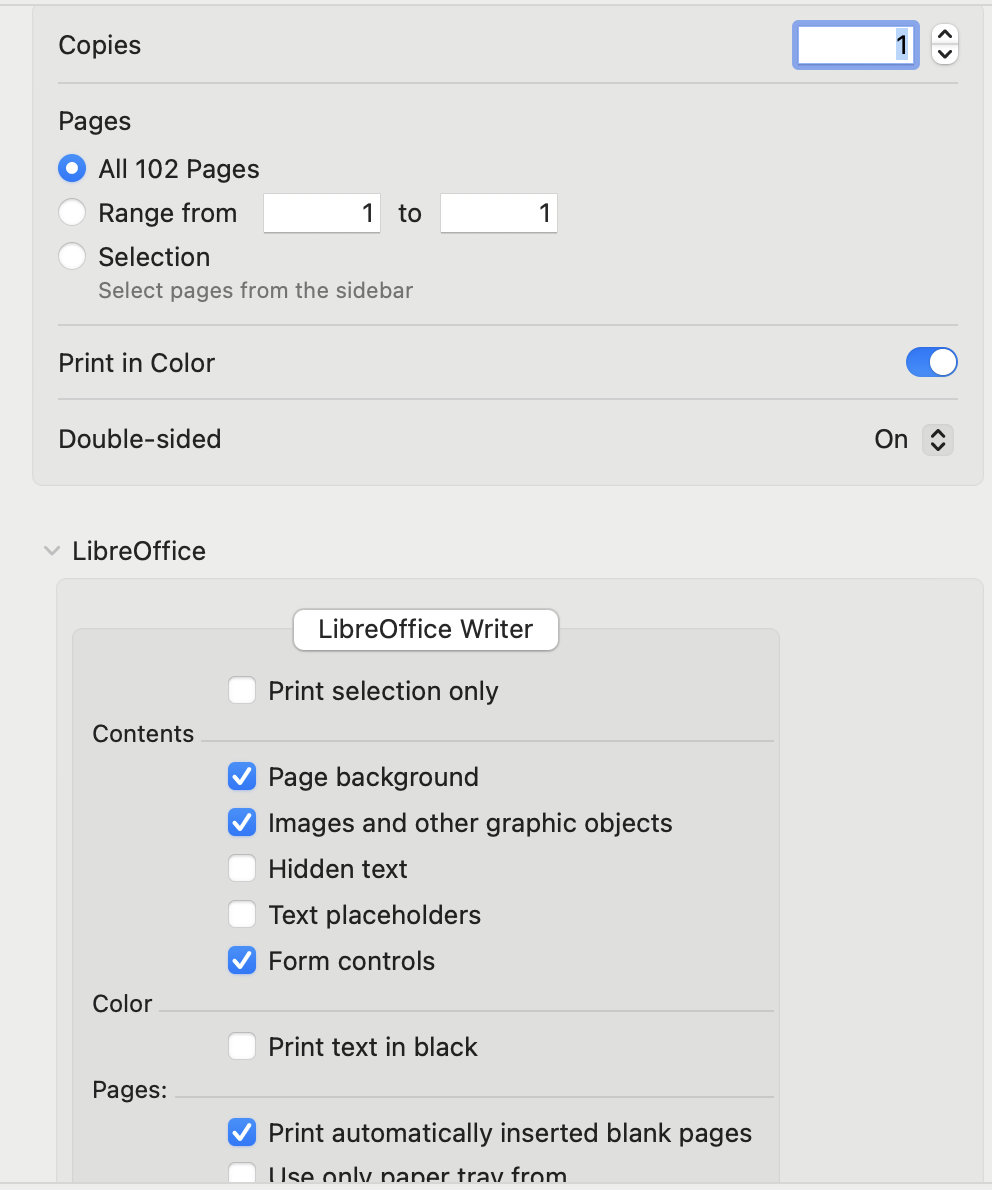
A two page LibreOffice document, xxx.odt, that does not print as expected. Use the Upload icon, 7th from left, to upload it, or drag the file onto an open comment.
1 Like
I found a work around. There is something about unusual text blocks that seem to un-align the rest. If the text block is the same throughout it can be set on the screen where it will appear on the printed page on the smaller paper, though it will appear different on the screen. it takes a few prints to get it right. I will have to have separate files for the title etc.