
Since I downloaded version 24.2.5.2 a few days ago, my desktop and taskbar shortcuts quit working and I had to download it again. Since doing that, the page numbers of my book manuscript are all screwed up. I’ve written something like 190 pages, but the page numbering and count displayed are in consecutive sets of 1-15. WTF!?!?!?! I’ve never had this happen before in 20+ years of using this excellent software.
And what operating system are you using and what file format are you saving in?
Please upload a sample file with the problem here so that someone can look at it and examine. Thank you.
Hi. I never got back to you, sorry. I’m a dinosaur, not real tech-savvy, and never on here. I just turned on the Notifications feature, so I guess that’ll go to my email?
I just posted a new question that maybe you can help me with. (I saw I had a notification-like I said, I’m never on here–and clicked on it and it brought me to your reply.)
How do I install the previous version prior to 25.8.4.2? I hate the tiny toolbar icons at the top and they took away the color. My vision isn’t what it used to be.
Thanks.
Going back to an older version will probably not help much.
Some settings may have been messed up.
The settings are stored in the user directory and are not affected by a new installation.
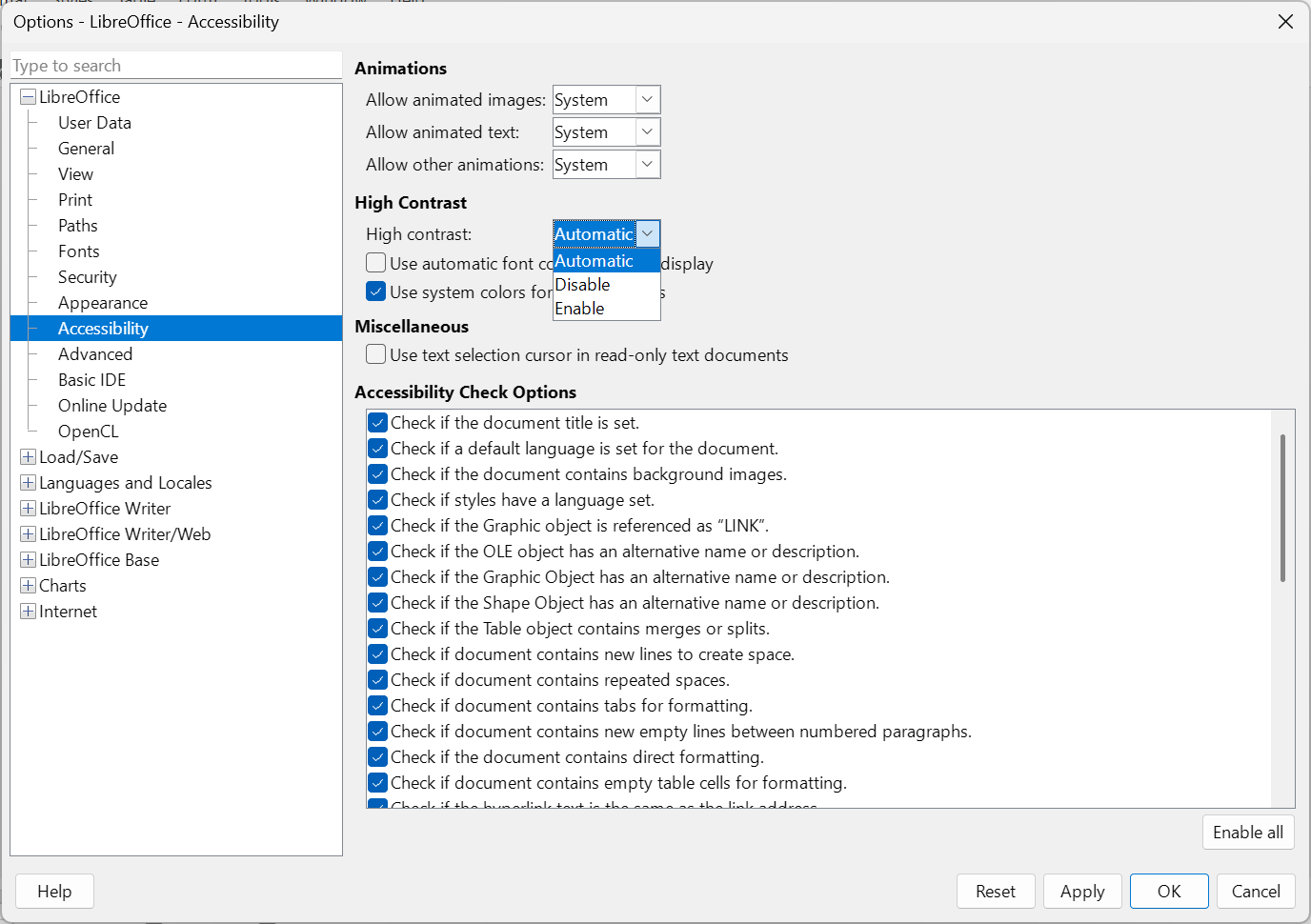
Check your settings:
- First, go to the
Tools > Options > LibreOffice > Accessibilitymenu and set “High Contrast” to “Automatic.” This will restore the color. *)
- Go to the menu
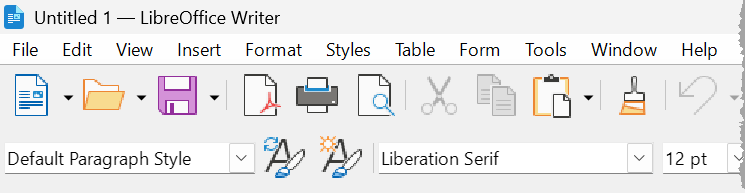
Tools > Options > LibreOffice > Appearanceand set “Icons” to “Automatic (Colibre)” and Toolbar to “Extra Large.” *)
The result should then look like this:

Important!
*) If you change settings, you may need to restart LibreOffice for some settings to take effect.
Note
If someone changes settings on your PC, you should make a note of this so that the settings can be reversed later if necessary.
1 Like
Thanks, I’ll try it tomorrow.
It worked, thanks! You’re a genius!
1 Like