
Hi,
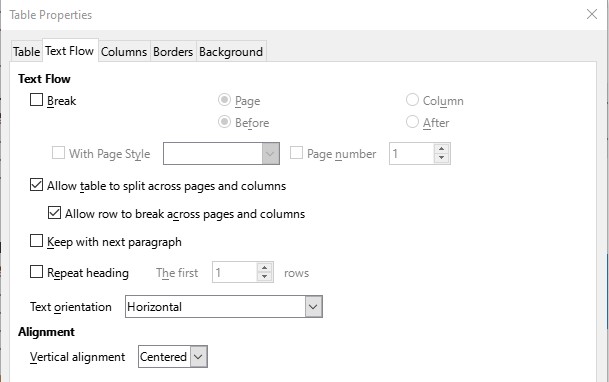
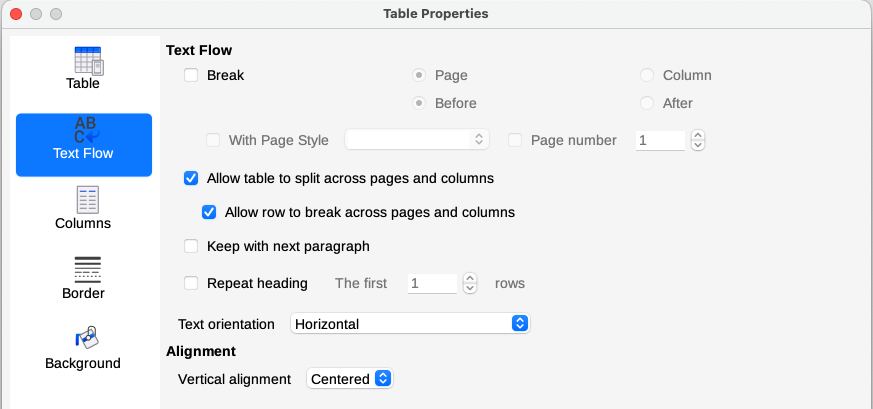
I maintain a directory of residents in our 100+ home community and use LO Writer for that. This has been done on Windows for the past few years. Last year I bought a Mac and installed LO on it, however I’ve never been able to get the content of the tables to be centered vertically as they are on Windows. There are over 100 tables in the document, each 2 to 3 columns and 2 to 3 rows. I’ve used the Table Properties option after selecting an entire table and the Vertical alignment option doesn’t seem to do anything, all the text aligns at the top of the cell. So, in Windows all looks fine yet the same file when moved to the Mac, the text is all aligned at the top. Is this a known bug in the Mac version of the code or am I missing something. This is one of the last things keeping the Windows machine around so it would be nice to figure out what the problem is.
Below are some screen shots from both machines:
Windows sample entry -

Mac sample entry -

Windows Table Properties Text Flow tab -
Mac Table Properties Text Flow tab -
I’ve reviewed this forum and others and have not found anything I’ve not already tried, so if anyone has any suggestions, I’m all ears.
Thanks!
Ed