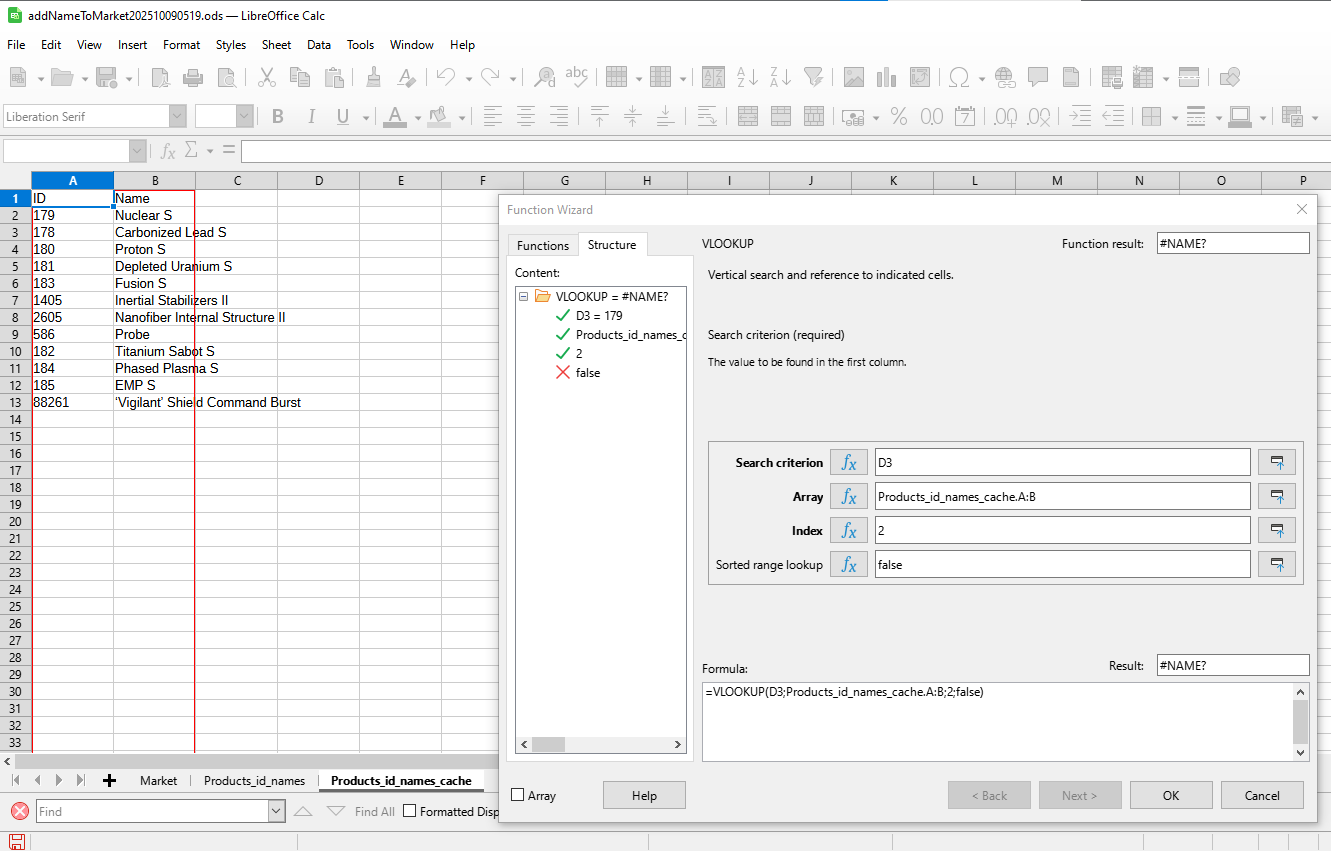
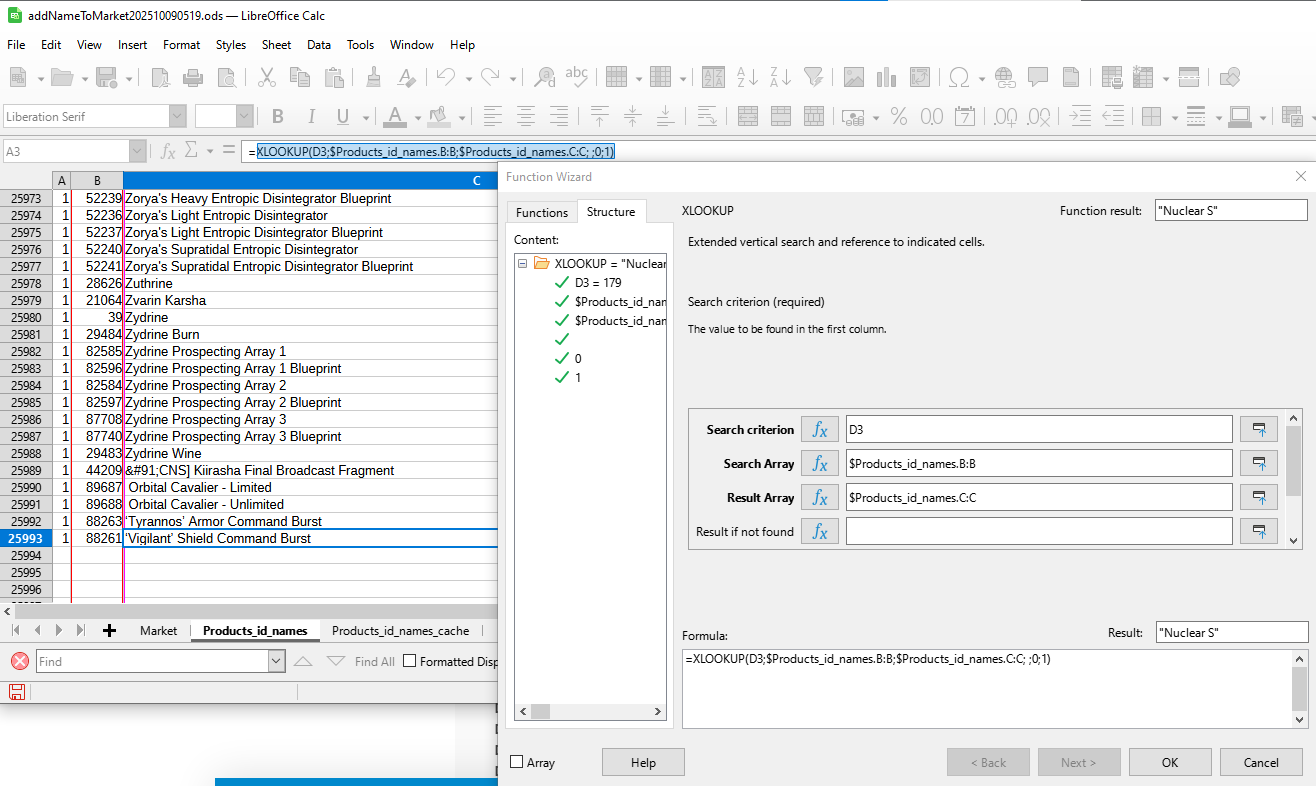
I have sheets “Market” & “Products_id_names” ( CellRange “A2:B1048576”  )
)
I add “market” list/rows ( with only products id numbers (col. C) and other data (col. D, E, …) ).
I’m traying uselessly / to no avail :
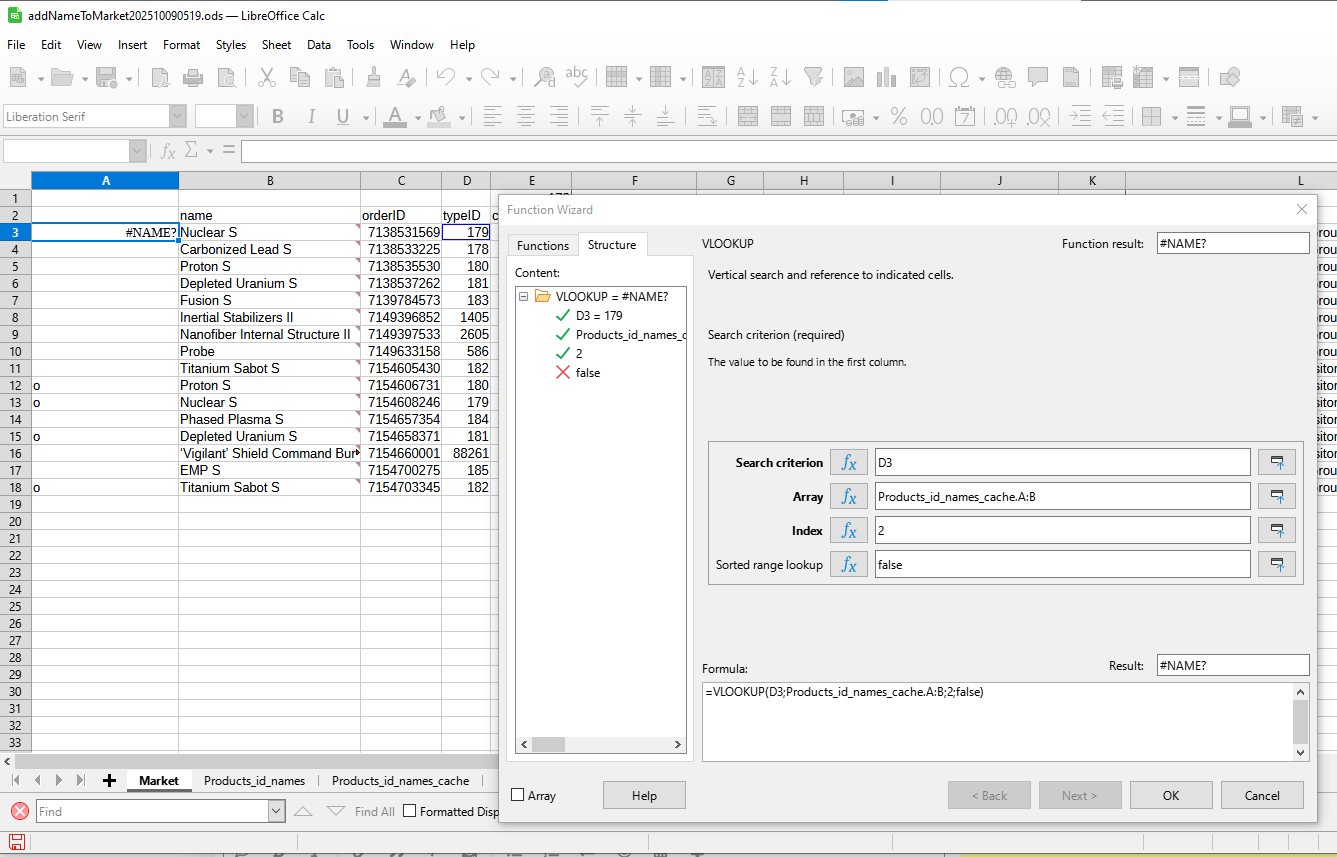
=VLOOKUP(C2;Products_id_names!A:B;2;FALSE)
Even when pointing to locations in the VLOOKUP function window with the mouse cursor, it does not return a result ("#NAME?")
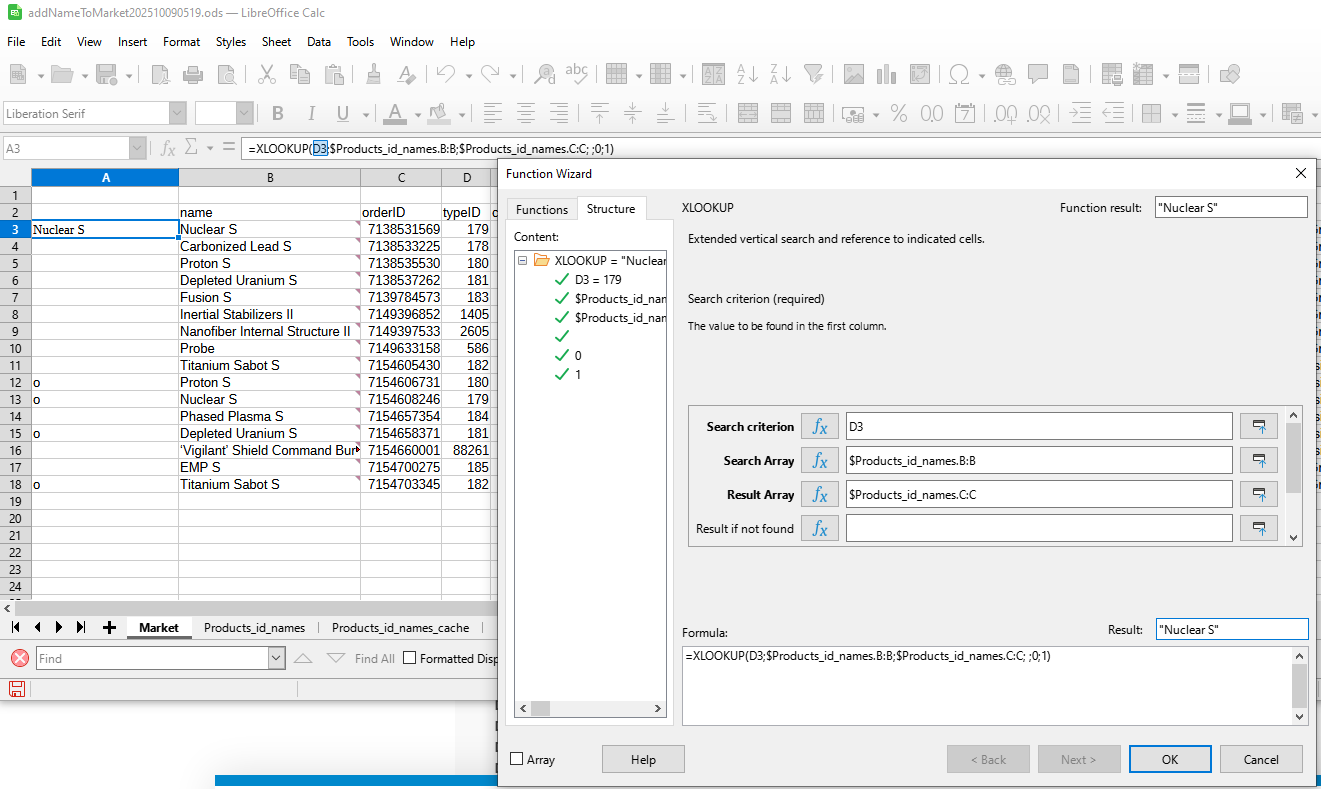
I finally found a way/solution to display names corresponding to id numbers (solution) like this:
=XLOOKUP(C2;$Products_id_names.A:A;$Products_id_names.B:B; ;0;1)
Since the function only displays the id names and you can’t just copy-paste the names elsewhere, I still had to use a macro (BASIC).
There were several attempts to do this (initially, to change the id number to a name and add a comment (note , Annotation ) to the id number cell).
The macro did the name change, but there were problems with adding the comment (it only added/changed the ID number to the cell where there was already a comment before, but it did not add a comment to the cell without a comment).
Sub ReplaceIDwithNameAndAddNote()
	Dim oDoc As Object
	Dim oSheetMarket As Object
	Dim oSheetProducts As Object
	Dim oCell As Object
	Dim oRange As Object
	Dim oAnnotation As Object
	Dim i As Integer
	Dim j As Integer
	Dim lookupID As String
	Dim foundName As String

	oDoc = ThisComponent
	oSheetMarket = oDoc.Sheets.getByName("Market")
	oSheetProducts = oDoc.Sheets.getByName("Products_id_names")

	For i = 2 To 100
		oCell = oSheetMarket.getCellByPosition(2, i-1)
		lookupID = oCell.String

		If lookupID <> "" Then
			oRange = oSheetProducts.getCellRangeByName("A:B")
			foundName = ""

			For j = 0 To oRange.Rows.Count - 1
				If oRange.getCellByPosition(0, j).String = lookupID Then
					foundName = oRange.getCellByPosition(1, j).String
					Exit For
				End If
			Next j
			If foundName <> "" Then
				oAnnotation = oCell.createAnnotation
				oAnnotation.String = "ID:" & lookupID ' <---- add NOTE to cell NOT WORK
				oCell.String = foundName
			End If
		End If
	Next i
End Sub
and
Does not add a comment to a cell if there was no previous comment, but changes the comment on the cell if that cell previously had a comment.
            If foundName <> "" Then
                If oCell.Annotation Is Nothing Then
                    oAnnotation = oCell.createAnnotation
                    oAnnotation.String = "ID: " & lookupID
                Else
                    oCell.Annotation.String = "ID: " & lookupID
                End If
                oCell.String = foundName
            End If
and
            If foundName <> "" Then
                oCell.String = foundName

                If oCell.Annotation Is Nothing Then
                    oAnnotation = oDoc.createInstance("com.sun.star.sheet.CellAnnotation")
                    oAnnotation.String = "ID: " & lookupID
                    oCell.Annotation = oAnnotation
                    oAnnotation.setPosition(oCell.getPosition)
                Else
                    oCell.Annotation.String = "ID: " & lookupID
                End If
            End If
and (not work ( BASIC runtime error. Property or method not found: setAnnotation. ) )
        If lookupID <> "" Then
            oRange = oSheetCommodities.getCellRangeByName("A:B")
            foundName = ""

            For j = 0 To oRange.Rows.Count - 1
                If oRange.getCellByPosition(0, j).String = lookupID Then
                    foundName = oRange.getCellByPosition(1, j).String
                    Exit For
                End If
            Next j

            If foundName <> "" Then
                oCell.String = foundName
                oCell.setAnnotation("ID: " & lookupID)

                If Not oCell.Annotation Is Nothing Then
                    oCell.Annotation.IsVisible = True
                End If
            End If
        End If
and not work
	If foundName <> "" Then
		oCell.String = foundName
		If oCell.Annotation Is Nothing Then
			On Error Resume Next
			Set oAnnotation = oDoc.createInstance("com.sun.star.sheet.CellAnnotation")
			If Not oAnnotation Is Nothing Then
				oAnnotation.String = "ID: " & lookupID
				oCell.Annotation = oAnnotation
				oAnnotation.setPosition(oCell.getPosition)
				oAnnotation.IsVisible = True
			Else
				MsgBox "error" & i
			End If
				On Error Goto 0
		Else
			oCell.Annotation.String = "ID: " & lookupID
			oCell.Annotation.IsVisible = True
		End If
	End If


In the end, I decided that the macro would not change the id number cells, but would create new cells, and then I finally found the desired result, a working solution:
REM ' =XLOOKUP(C2;$Products_id_names.A:A;$Products_id_names.B:B; ;0;1)

Sub AddNameToMarketColumnBAndAddNoteFromProducts()
	Dim oDoc As Object
	Dim oSheetMarket As Object
	Dim oSheetProducts As Object
	Dim oCell As Object
	Dim oCellB As Object
	Dim oRange As Object
	Dim oAnnotations As Object
	Dim oCellAddress As New com.sun.star.table.CellAddress
	Dim i As Integer
	Dim j As Integer
	Dim lookupID As String
	Dim foundName As String
	Dim hasAnnotation As Boolean

	oDoc = ThisComponent
	oSheetMarket = oDoc.Sheets.getByName("Market")
	oSheetProducts = oDoc.Sheets.getByName("Products_id_names")

	oAnnotations = oSheetMarket.getAnnotations()

	REM Debug: I will delete the entire contents of column B starting from row 2, keeping B1
	oSheetMarket.getCellRangeByName("B2:B1048576").clearContents(7) ' 7 = VALUE + STRING + FORMULA

	' assume that the IDs are in column C (index 2) starting from row 2
	For i = 2 To 100 ' Change 100 to the number of rows in your data.
		oCell = oSheetMarket.getCellByPosition(2, i-1) ' column C (index 2) row i
		lookupID = oCell.String

		' If the cell is not empty
		If lookupID <> "" Then
			REM Debug: Processing ID: & lookupID
			' Look for IDs in the Products_id_names page
			oRange = oSheetProducts.getCellRangeByName("A:B")
			foundName = ""

			' Find ID match
			For j = 0 To oRange.Rows.Count - 1
				If oRange.getCellByPosition(0, j).String = lookupID Then
					foundName = oRange.getCellByPosition(1, j).String
					Exit For
				End If
			Next j

			' If the name is found, write the name in column B and add a note.
			If foundName <> "" Then
				REM Debug: Found name for ID & lookupID & : & foundName
				' Write the name in column B (index 1)
				oCellB = oSheetMarket.getCellByPosition(1, i-1)
				oCellB.String = foundName

				' Check if the cell in column B has a comment
				On Error Resume Next
				hasAnnotation = Not oCellB.Annotation Is Nothing And Len(oCellB.Annotation.String) > 0
				On Error Goto 0

				' Set the cell address for column B
				oCellAddress.Sheet = oSheetMarket.RangeAddress.Sheet
				oCellAddress.Column = oCellB.CellAddress.Column
				oCellAddress.Row = oCellB.CellAddress.Row

				If Not hasAnnotation Then
					' Add a new note in the format: id number: [ID]\n[FoundName]
					On Error Resume Next
					oAnnotations.insertNew(oCellAddress, "" & lookupID & Chr(10) & foundName) ' "id number: " &
					If Err = 0 Then
						REM Debug: New note added to cell B & i & : id number: & lookupID & & foundName
					Else
						REM Debug: Error: Unable to add comment to cell B & i
					End If
					On Error Goto 0
				Else
					' Update an existing note
					On Error Resume Next
					oCellB.Annotation.String = "" & lookupID & Chr(10) & foundName ' "id number: " &
					If Err = 0 Then
						REM Debug: Note on updated box B & i & : id number: & lookupID & & foundName
					Else
						REM Debug: Error: Failed to update comment for cell B & i
					End If
					On Error Goto 0
				End If

				' Check if the note was actually added
				On Error Resume Next
				If Not oCellB.Annotation Is Nothing And Len(oCellB.Annotation.String) > 0 Then
					REM Debug: Check: Note present in box B & i & : & oCellB.Annotation.String
				Else
					REM Debug: Check: No comment in box B & i
				End If
				On Error Goto 0
			Else
				REM Debug: Name not found for ID: & lookupID
			End If
		Else
			REM Debug: Column C cell in empty row & i
		End If
	Next i

	MsgBox "Macro finished working! Check the names in column B and the comments.", 64, "Notice"
End Sub
Why was it so difficult to find a solution to add a comment and where is the detailed manual for adding a comment to a macro BASIC cell?
Some older Office (Free Open Excel xD) used a different way of adding a comment to a cell? How can I debug such a problem better, to find out why it doesn’t add a comment (my debugging was as if there was already a comment) (now I think maybe the order of the commands was wrong, first you have to add new content to the cell or after that and then the comment or before)


 game marketing ( Presonal Market Export information ( C:\Users\kati\Documents\EVE\logs\Marketlogs\My Orders-2025.10.08 2134.txt ) order typeID column to to change/add the product name ( I copied the database adam4eve.eu/info_types.php ) and to be OffLine (Eve-Offline