
Hi, I have created some control check boxes linked to a graphic jpg image, grouped in a Group Box. These are showing on my form slightly larger than the check box, the size I visually want, perfect! However, when I go to print, the images are tiny, far too small to be easily recognised.
I have Images and Object set to print, and they are printing, just too small to see and compared to those on screen.
This is what they are printing like!
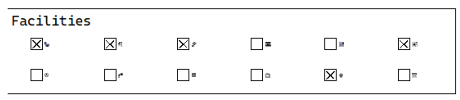
Can anyone please help and advise what I need to do to correct this problem as I am at a complete loss.
Any suggestions welcomed, thank you!
Motorhome Journal Sites REDUCED.odt (29.7 KB)
Thanks for your reply LeroyG, I have attached the page from the document and below is the info from the About LibreOffice.
Version: 25.8.2.2 (X86_64)
Build ID: d401f2107ccab8f924a8e2df40f573aab7605b6f
CPU threads: 12; OS: Windows 11 X86_64 (build 26200); UI render: Skia/Raster; VCL: win
Locale: en-GB (en_GB); UI: en-GB
Calc: threaded
Hope you can help. Thanks.
1 Like
How did you create your check boxes? They are listed as Drawing objects but once selected in the Navigator I can’t edit them nor see their properties.
There are no selection handle around them either.
Under Fedora 43, LO 25.8.3.2, your checkboxes appear as simple squares without any “decoration”. When I look at the internal XML encoding, your boxes have svg dimensions but absolutely no strokes or path instructions. So, is some companion file missing?
1 Like
I can mark and unmark them with a click of the mouse, but no image visible yet.
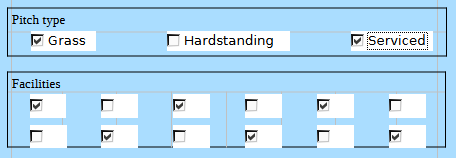
There are 15 shapes listed in the Navigator, but I can’t see them.
In Forms - Design mode, I can see that there are graphics linked to the check boxes, but there are no graphics in the xml subdirectory.
@CPMorris007, Can you share the size of one of those graphics to test?
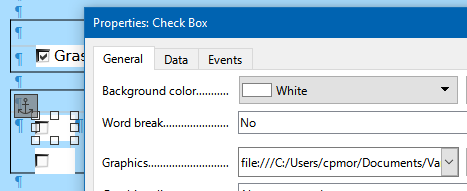
What do you see in the Print preview mode?
There are some styles that point to Word. 
I think that it is not related, but there are 64 bookmarks (PageNumWizard_FOOTER_…). I had a similar problem with a file, with images anchored to the footer, and I had to redo the file.
1 Like
That’s odd. I created them by Form/Design Mode selected, then Form/Group Box and drawing the group box.
Then I added the check box inside it by Form/Check Box, and drew the check boxes. I then right clicked each check box in turn, selected Control Properties and in the General Tab, under Graphics used the … to select my jpg image to associate with each check box.
The images for the check boxes may not be visible as the path is to the image on my laptop. I will attach the first image.

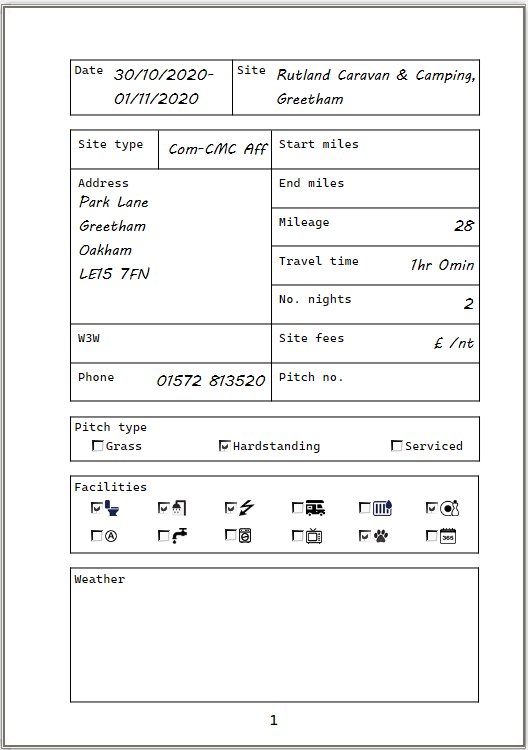
If I go File/Print the print preview shows the images reduced in size like
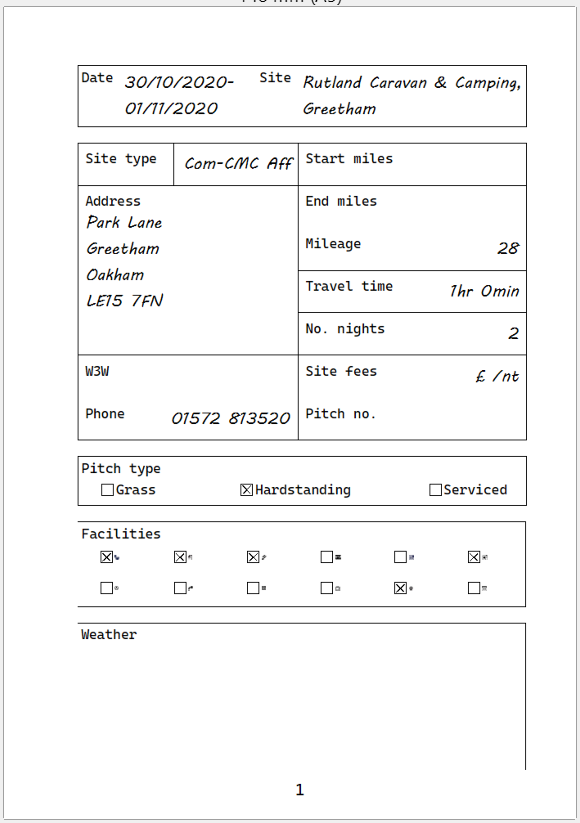
This is how it prints out whichever way I print.
Okay, thank you, I will do.

Notice that also the checkmarks change to crosses.
Tested to change the .jpg image with a .svg: the same result.
1 Like
Thanks for your help, looks like a bug, I will try and write a bug report. Thanks again LeroyG and Hrbrgr.
1 Like