LO Calc on macOS: screen real estate use

I am investigating LO on macOS. After passing my first hurdle, there is another minor one: when I open my Excel spreadsheet LO shows it much larger. E.g., to get the same size for text in LO, I need to zoom out to 57% for an Excel spreadsheet that has been set to 93%. And zooming out only makes the cells smaller, not the labels like row and column numbers/letters.

Is there a way I can get LO to be less wasteful in screen real estate? E.g. use a smaller font for row and column numbers?
Could you please upload a test file?
I regularly open Excel files in Excel and Calc and don’t see the effect you described.

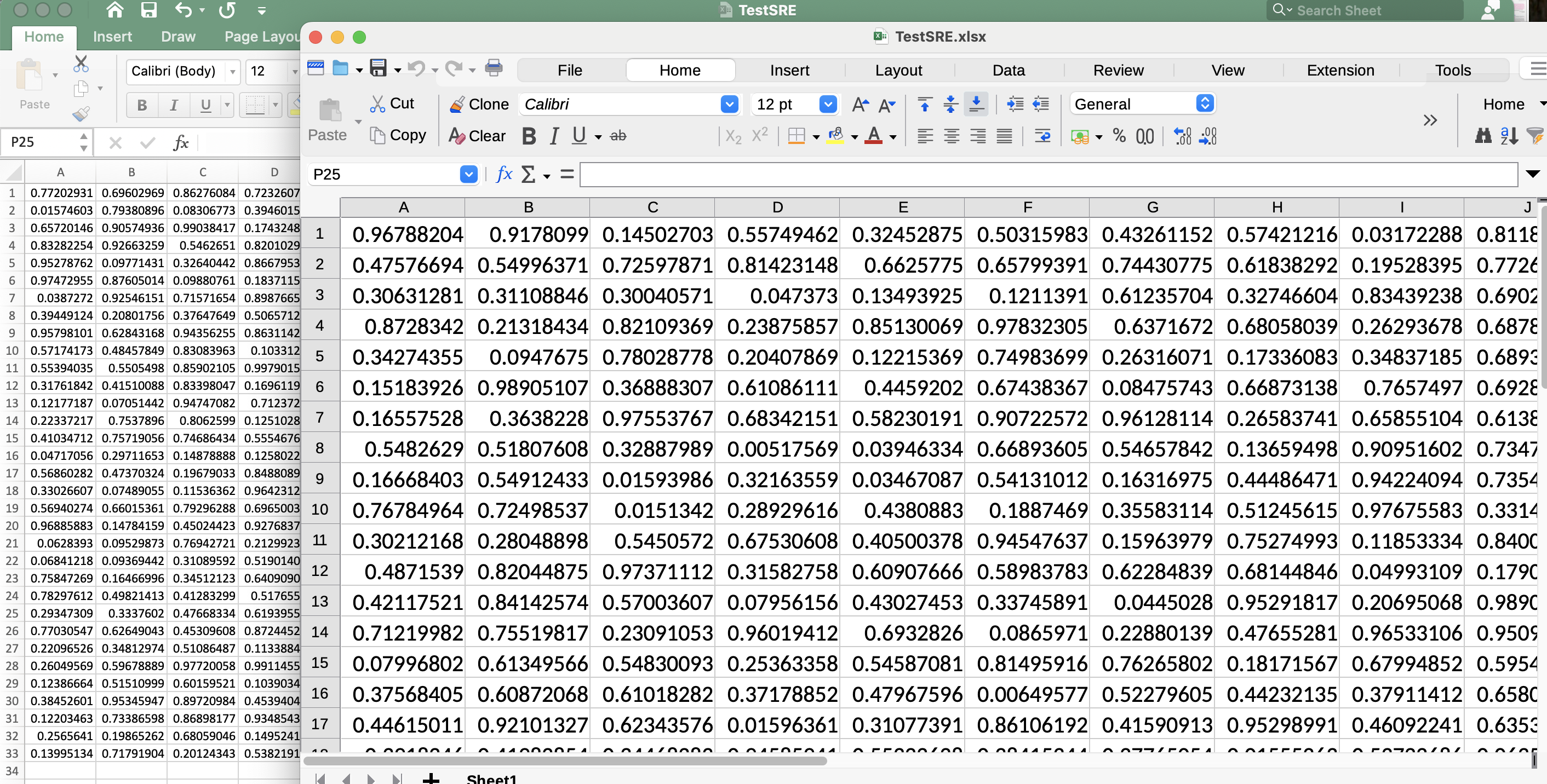
That’s true, and that’s different to Excel behavior. However, it would be good to see what you see - so screenshots comparing Excel vs. Calc on the same document could help.

Created in Excel (all cels are =rand() so numbers differ. TestSRE.xlsx (15.4 KB)

I am a new user so I am only allowed to put one embedded item in a post…

1 Like

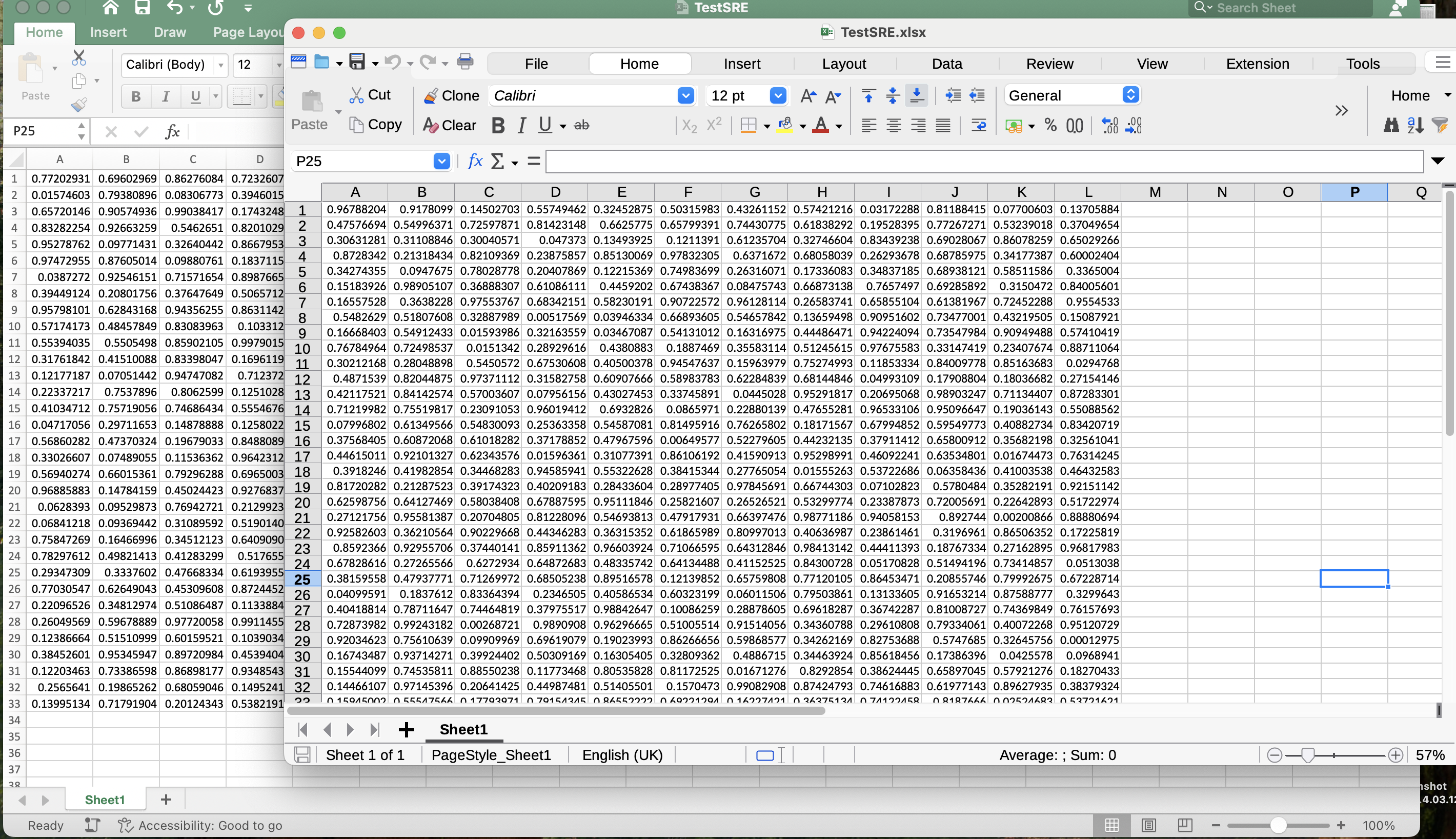
LO opened the file on top of the Excel display, both 100%

LO back to 57% gives approximately the Excel view, except this only holds for the cells.

1 Like

Likely a bug in LO HiDPI support on macOS. But not some fundamental missing support (the controls look OK), but “what is 100%” definition. So may even not be a true bug… IMO, “100%” must be as close as possible to the linear size as when printed on paper - so maybe even LO behavior is better.

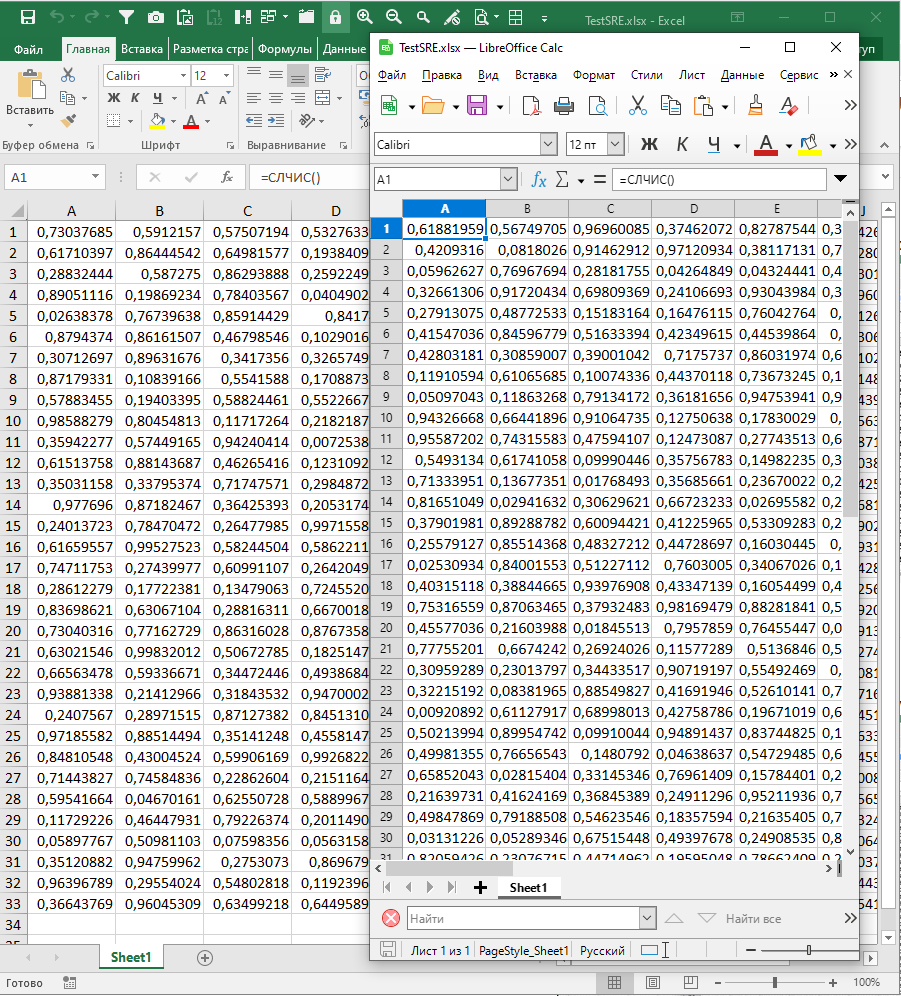
Here is a screenshot for MS Windows (both 100%):

MS Excel 2016

LO:
Version: 25.8.4.2 (X86_64)
Build ID: 290daaa01b999472f0c7a3890eb6a550fd74c6df
CPU threads: 6; OS: Windows 10 X86_64 (build 19045); UI render: Skia/Raster; VCL: win
Locale: ru-RU (ru_RU); UI: ru-RU
Calc: CL threaded

The important piece here is: which is the screen resolution / UI scaling. I assume, that @gctwnl has some HiDPI screen (I seem to recall that Apple names it “retina”?). This kind of problem will not happen when using old-school 96ppi displays (or at least some UI scaling).

… and yes, it seems it’s a well-known Excel bug, that it has much smaller display on macOS, than it (Excel!) shows on Windows; likely because it doesn’t treat 100% as needed, when runs on that OS. So no, it is not LibreOffice’s bug, but Excel.

E.g., Excel appears smaller in mac - Microsoft Q&A, https://apple.stackexchange.com/questions/460306/set-default-ms-excel-zoom-to-125-on-mac, …

1 Like

Ha, fun. It may be an Excel bug, but for me it’s a feature, because I have much more (readable because HiDPI) usable sheet in front of me. And if I try to do the same with LO, it doesn’t shrink labels with available space.