
Why justified texts/lines aren’t aligned evenly on the right side? Even though I have used the justified alignment. (Look at red line drawn as reference.)
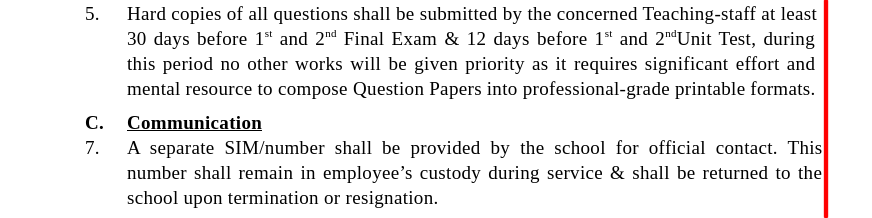
with:
Version: 27.2.0.0.alpha0+ (AARCH64)
Build ID: c0ade982f09c8fcc1d0b484cab0051c6db8b0110
CPU threads: 4; OS: Linux 6.18; UI render: default; VCL: gtk3
Locale: de-DE (de_DE.UTF-8); UI: de-DE
Calc: threaded
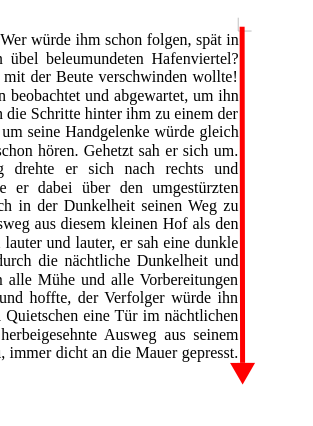
Version: 26.8.3.1 (X86_64)
Build ID: 861effc5289d539f15c4c18d1ba8579ffd78728b
CPU threads: 8; OS: Windows 11 X86_64 (build 26300); UI render: Skia/Raster; VCL: win
Locale: de-DE (de_DE); UI: de-DE
Calc: threaded
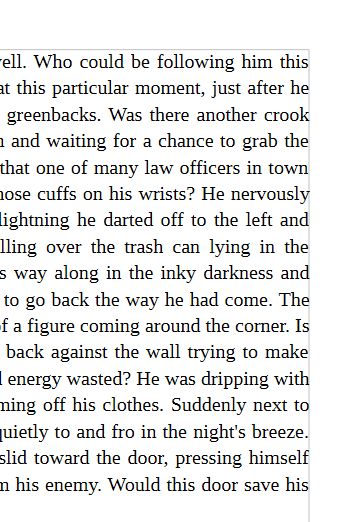
I don’t understand how your screenshot is supposed to help us troubleshoot the problem.

I added the sample. Hope you can now.
because the right margins likely differ.
see Clear Direct Formatting
ps.
Ask/Guide - How to use the Ask site - The Document Foundation Wiki #More_details
Tried everything - Clearing formatting & removing indenting space, etc. But result is the same. For a few lines the justified works but when I go a few lines below & then go back to above lines to check whether the justified is still there or not, it shows the justified is gone again. Ah! This is frustrating. Can this be a issue with with the hardware or Flatpak be the culprit?
If you upload a fragment of the problematic file (in .odt format), we will try to move from the realm of hypotheses into the realm of knowledge.
@abert_eindouche The only way to diagnose accurately the issue is to analyse a sample file. A screenshot does not give access to actual formatting. Please attach your document or a reduced version of it.
1 Like
Not a different source. But share a copy of the document shown in your screenshot, with (at least) these three paragraphs.
Please, add how do you created the document: i.e., you typed the text, copied from another document (.docx, .html, etc.); and share the version information of LibreOffice.
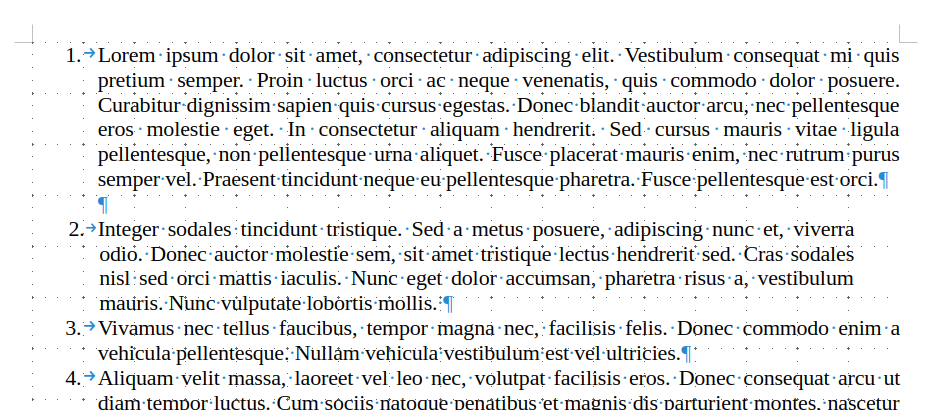
Why there are tabs at the left or each line of text?
Instead of tabs, fiddle a bit with the buttons in the horizontal ruler (menu Paragraph - Indent & Spacing - Indent).
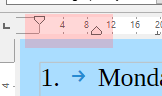
Why is it not showing to me?
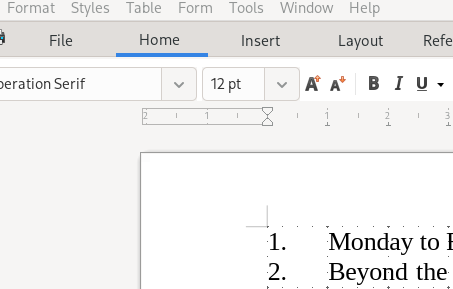
 or Ctrl+F10
1 Like
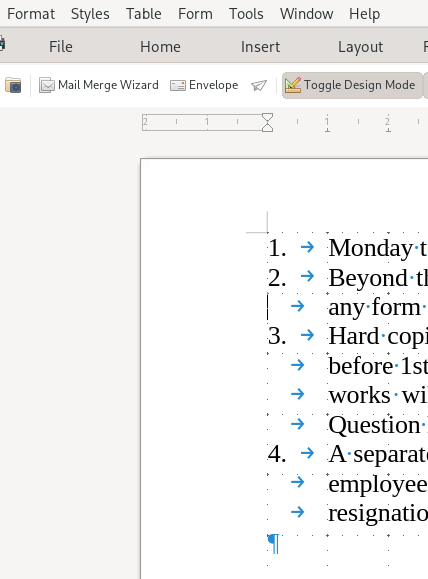
The document you attached does not seem to correspond to the screenshot.
Anyway, you have “ordinary” paragraphs which are not considered as list items by Writer. By this, I mean you simulated manually the look of a list with outdented numbering through the addition of Tab characters. This aligns subsequent text on next implicit tab stop, which is not reliable.
Your manual Tab need to be moved if you edit your text and number of words per line changes.
Fix: use the list feature and configure the left indent and number position as you need them.
Note that this does not solve the alignment issue because it could not be analysed.
PS: you’ll probably be better off with the Standard UI instead of the Tabbed one. You’ll have access to the features in a more consistent way.
1 Like
To fix your sample file
- Click Edit > Selection mode > Block area (Alt+Shift+F8)
- Select the left hand side of the document, not including the text but including the tabs and the numbers. Press Delete
- Press Ctrl+A to select everything (this will set selection mode back to Normal), and then click Format > Lists > Ordered List (F12)
Your sample will be better styled, although not as well as it could be but these are starting steps. You will be able to add words into paragraphs without having to manually insert tabs to straighten the left side. To stop using the list at the end, click in the empty paragraph and click Format > Lists > No List (Ctrl+Alt+F12)